 PH
PH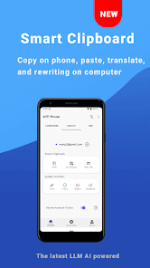
WiFi Mouse Pro v6.0.0 [ρáíd] [Bundle]
WiFi Mouse transforms an Android device into a wireless mouse, keyboard, remote desktop, and trackpad. It enables remote control of PC, Mac, or HTPC systems via a local network connection.Technical Specifications
| Category | Details |
| Version | v6.0.0 |
| Status | Premium / ρáíd |
| Compatibility | Windows, macOS, Linux (Ubuntu) |
| Minimum OS | Android 12L+ |
| Format | .apks (Split APK) |
Core Functionality
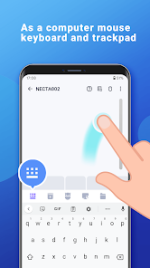
- Wireless Peripheral Emulation: * Mouse: Left/right click and scroll functionality.
- Keyboard: Integration with Android system keyboard and full-screen computer keyboard simulation.
- Trackpad: Support for tap-to-click, two-finger tap (right click), and three-finger drag-and-drop.
- Gesture Control: * Multi-touch: Two-finger slide, three-finger drag, and four-finger slide.
- Handwriting: Custom gestures to manage windows, media players, and presentations.
- System & Media Management: * Application Controller: List and launch computer applications remotely.
- Remote Commands: Shutdown, restart, and logout functionality.
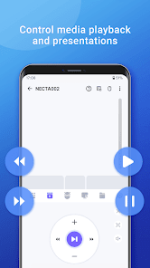
- Media/Presentation: Dedicated controls for PPT, Keynote, and various media player applications.
- Voice Integration: Supports voice-to-text input directly to the connected computer.
What's New
- Scan & Auto-Send: Instant data transmission of scanned barcodes (ITF-14, QR, etc.) to the PC.
- Smart History: Local storage and quick resend capability for the last 50 scans.
- Enhanced UI: Added "Aurora" laser line and corner guides for scan alignment.
- Language Switcher: Dedicated manual interface language selection button.
- Theming: Material Design UI featuring four distinct themes.
Installation Instructions (SAI)
- Install the latest SAI (Split APK Installer).
- Download the .apks archive.
- Open SAI and select the "Install APKs" button.
- Locate and select the downloaded archive to proceed with the installation.
- Note: A corresponding mouse server must be installed on the target computer.