PH
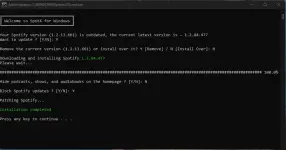
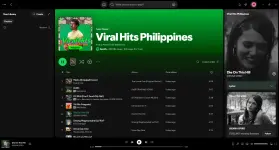
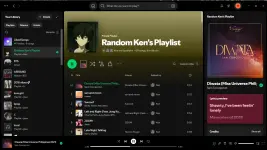
PHHello mga ka PHC! Magandang gabi here we are again for another tutorial! This is only for PC/Desktop users ng spotify. Kahit regular account lang yung account niyo parang naka premium na rin kayo since no more annoying ads and unli skips. Follow niyo lang yung steps tulad sa pic. Hehe 
Note: Ito po yung name ng file na irurun, make sure also na Run as Administrator
Install_New_theme (Windows Batch File)
Link: You do not have permission to view the full content of this post. Log in or register now.
Features:
Note: Ito po yung name ng file na irurun, make sure also na Run as Administrator
Install_New_theme (Windows Batch File)
Link: You do not have permission to view the full content of this post. Log in or register now.
Features:
- Ad Blocking: Removes audio, video, and banner ads.
- Premium Features: Enables unlimited track skipping.
- Content Filtering: Optional hiding of podcasts, episodes, and audiobooks.
- Update Control: Blocks automatic Spotify updates, which can prevent the ρá†ch from breaking.
- UI Customization: Allows enabling experimental features and themes.
- Platform Support: Compatible with Windows, macOS, and Linux.
- Cleaner Interface: Ability to remove various, often unwanted, sections like "Popular New Releases"