 PH
PH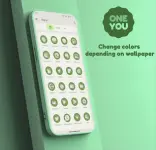
OneYou Dynamic Icon Pack v3.4.0
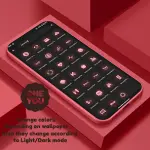
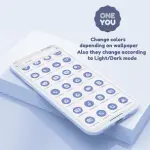
OneYou is a dynamic icon pack inspired by Samsung One UI 8, designed for devices running Android 12 and higher. The icons automatically adapt to the system wallpaper, accent colors, and light/dark mode transitions.Application Components
| Feature | Details |
| Icons | Adaptive and Dynamic (Material You support) |
| Widgets | Material You style widgets in One UI design |
| Latest Update | v3.4.0 [Patched / Premium] |
Technical Implementation & Requirements
| Task | Procedure |
| Color/Mode Updates | Re-apply the icon pack after changing wallpaper or system theme (unless using a launcher with automatic update support). |
| Widget Access | Long-press home screen > Select "Widgets" > Locate "OneYou" in the list. |
| Search Widgets | Requires Google App and Google Lens to be installed. |
| Samsung Devices | Apply system color palette in Wallpaper settings. For stock launcher, use Theme Park to apply the icon pack. |
| Pixel (Non-Root) | Use Shortcut Maker to apply icons to the home screen. |
| Pixel (Rooted) | Use Pixel Launcher Mods for home screen and app drawer support. |
Launcher Compatibility
| Support Level | Recommended Launchers |
| Automatic Updates | Hyperion (Beta), Niagara, AIO, Nova (Beta), Smart Launcher (Beta) |
| Manual Application | Action Launcher, Ruthless Launcher, Lawnchair, Stock One UI (via Theme Park), Pixel Launcher (via Shortcut Maker) |
Version 3.4.0 Changelog
- Icon Additions: 450+ new icons added.
- Design Refinement: Redesigned existing icons and added a new dark mode palette optimized for One UI.
- Widget Updates: New Search and Clock widgets included.
- Bug Fixes: Resolved issues preventing icons from applying correctly.