 PH
PH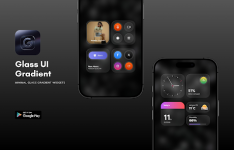
Glass UI Gradient KWGT | v2.6.7 [Patched]
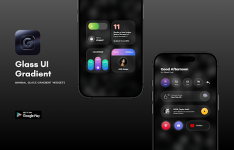
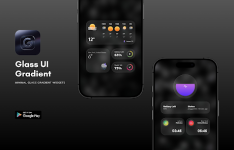
Glass UI Gradient Widgets introduces a refined aesthetic for Android home screens, prioritizing frosted transparency and soft gradient transitions. Designed for Android 6.0 and above, the pack utilizes a design language influenced by modern iOS interfaces to deliver a premium, minimalist user experience.The collection features over 60 high-quality widgets that emphasize balanced typography and visual consistency, ensuring legibility across diverse wallpaper setups and both light and dark themes. This application functions as a skin for the KWGT ecosystem and requires the KWGT Pro Key for deployment. Optimal performance is achieved when paired with a custom launcher, such as Nova Launcher.
Technical Specifications
| Category | Details |
| App Version | v2.6.7 |
| Required OS | Android 6.0+ |
| Engine | KWGT Kustom Widget Maker |
| Total Widgets | 60+ Assets |
| Architecture | Universal |
| License | Patched / Premium |
Key Features
- Aesthetic Design: 60+ glass-inspired widget designs with frosted glass effects.
- Customization: Full manual scaling support within the KWGT editor for precision fitting.
- High Resolution: Optimized for modern high-density displays to ensure crisp visuals.
- Adaptive UI: Designed to complement both light and dark system themes seamlessly.
Changelog: v2.6.7
- Introduced new stylish widget configurations.
- Expanded library to a total of 60 premium widgets.
- Refined visual assets for improved clarity and color depth.
- Enhanced stability and performance optimizations.
Modification Details
- Premium Unlocked: ρáíd features and assets fully accessible.
- Cleaned Package: Removed all unnecessary files and debug codes for a smaller footprint.
- Universal Support: Compatible with all CPU architectures.
- Multilingual: Includes support for various global languages.
- Signature: Original package signature changed for patched compatibility.
Installation Guidelines
- Ensure KWGT and the KWGT Pro Key are installed on your device.
- Install the Glass UI Gradient KWGT package.
- Long-press your home screen and select the KWGT Widget picker.
- Place a widget on your screen and tap it to open the Glass UI library.
- Select your preferred design. If the dimensions appear incorrect, navigate to the Layer tab within the KWGT editor and use the Scale option to adjust the size.
Download