 PH
PH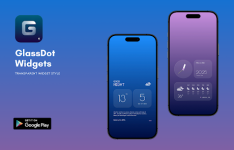
GlassDot Widgets For KWGT | v2.2.1
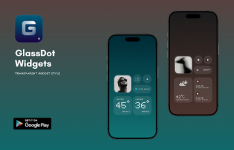
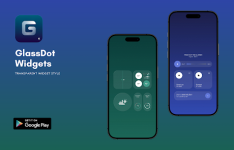
GlassDot is a widget collection for KWGT inspired by minimalist design aesthetics, featuring dot-based elements, glass-like transparency, and modern typography.Technical Specifications
| Category | Details |
|---|---|
| Current Version | 2.2.1 |
| Android Requirement | 5.0 and up |
| Total Widgets | 95 |
| Architecture | Universal (None specified) |
| Status | Patched / Premium |
| Localization | Multi-language support |
Requirements
- KWGT PRO Application: This is not a standalone app; the Pro Key is strictly required.
- Custom Launcher: Nova Launcher or similar is recommended for optimal widget placement.
Features & Updates
- Design Language: Transparent glass effects and dot-matrix UI elements.
- Fixes: Resolved sorting issues and removed duplicate widget entries.
- Optimization: Removed debug codes and unnecessary files; original package signature modified.
Installation Guide
- Install GlassDot Widgets and KWGT PRO.
- Long-press the home screen and select a KWGT Widget placeholder.
- Tap the placeholder and select GlassDot Widgets For KWGT from the installed packs.
- Choose the desired widget.
- Note: If the widget dimensions appear incorrect, use the Scaling option within the KWGT layer settings to adjust the size.
Main link: Download Mirror link1: DownloadDisclaimer: This widget pack is an independent creation and is not affiliated with, endorsed by, or connected to Nothing Technology Limited.