 PH
PH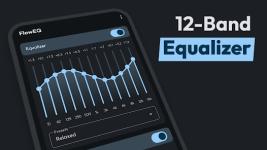
Flow Equalizer | Professional Audio Processing Suite
Flow Equalizer is a high-fidelity audio enhancement utility engineered for Android 6.0 and higher. Designed with an independent processing architecture, it provides granular control over system-wide acoustics, allowing for the discrete management of Equalizer FX, Bass Boost, and Virtualizer modules.The suite features a scalable equalizer interface—supporting 5 to 12 bands—complemented by a professional-grade Limiter. This dynamic management system includes adjustable attack/release times, ratio, and threshold parameters to ensure distortion-free output even at peak volumes. With hardware-aware automation, the application detects peripheral connections to instantly deploy optimized presets, ensuring a seamless transition between various playback environments.
Core Technical Specifications
| Feature | Description |
| Equalizer Engine | Scalable 5, 10, and 12-band precision control |
| Dynamic Limiter | Advanced post-gain control with adjustable ratios |
| Spatial Audio | 3D Virtualizer for expanded soundstage simulation |
| Automation | Automatic hardware detection and preset triggers |
| UI Design | Native Material Design with shortcut widget support |
| System Logic | Independent Bass Reinforcement and Global Mix integration |
Version 1.4.2 Update Log
- Advanced Processing: Integrated an Advanced Limiter for sophisticated dynamic range control.
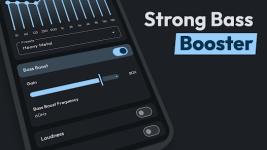
- Enhanced Bass Logic: Implemented manual frequency selection for the Bass Boost engine.
- System Integration: Improved "Global Mix" connectivity for consistent system-wide processing.
- Workflow Automation: Added support for external automation applications and dedicated home-screen widgets.
- Stability: Resolved legacy issues regarding the Backup and Restore functionality and eliminated UI latency.
Modification Details
- Premium Status: Professional / ρáíd features unlocked.
- Optimization: Removed all debug codes and unnecessary resources for improved performance.
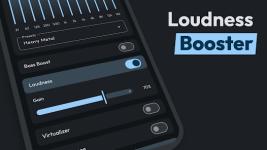
- Sound Enhancement: Integrated Sound Amplifier features to increase loudness without compromising signal integrity.
- Deployment: Fully optimized manifest and resources for a streamlined installation.
Installation Notes
The application requires Android 6.0 (Marshmallow) or later. To maintain configuration settings across different devices or clean installs, utilize the integrated Backup and Restore function located within the profile settings. Support for global audio sessions is enabled by default to ensure compatibility across streaming, gaming, and local media applications.Download