 PH
PH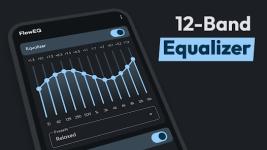
App Overview: Flow Equalizer v1.4.9 [Pro Mod]
Flow Equalizer is an audio enhancement suite designed to provide precision sound control through a 12-band equalizer and advanced signal processing. It allows for independent management of EQ, bass boosting, and virtualization, ensuring compatibility across music, video, and gaming applications.Technical Specifications
| Category | Details |
|---|---|
| Version | 1.4.9 |
| Android Requirement | 6.0 and up |
| Architecture | Universal CPU |
| Interface | Material Design |
| Mod Status | Pro/Premium Features Unlocked; Debug code removed; Optimized files |
Key Features
- Configurable Equalizer: Adjustable from 5-band up to 12-band configurations for precise frequency control.
- Advanced Limiter: Professional-grade dynamic control featuring adjustable Attack Time, Release Time, Ratio, Threshold, and Post Gain to prevent distortion.
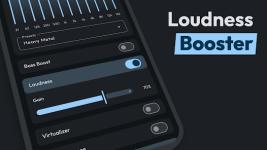
- Independent Modules: Control Equalizer FX, Bass Boost, Volume Boost, and 3D Virtualizer independently.
- Automation & Integration:
- Auto-Apply: Automatically detects connected headphones to apply saved presets.
- Global Mix: Improved connectivity for system-wide audio processing.
- Third-party Support: Compatible with automation apps and includes shortcut widgets.
- Preset Management: Preloaded genre-based presets (Folk, Dance, EDM, Heavy Metal, etc.) with backup and restore functionality for custom settings.
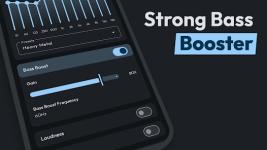
- Enhanced Bass Control: Dedicated booster with frequency selection.
Recent Updates & Bug Fixes
| Feature | Change Log |
|---|---|
| New Tools | Added Advanced Limiter and Shortcut Widgets. |
| Connectivity | Added automation app support; Fixed Global Mix connection issues. |
| Audio | Added Bass Boost frequency selection. |
| Stability | Fixed Backup/Restore functionality; Resolved UI lag and general bugs. |
| Optimization | Performance improvements and removal of unnecessary debug data. |
Installation and Operation
- Initialize audio playback via your preferred music or video player.
- Launch Flow Equalizer to adjust levels, frequencies, and limiter parameters.
- For optimal fidelity, use with high-quality headphones or external speaker systems with subwoofers.
- To terminate processing, toggle off effects within the application interface.