 PH
PH

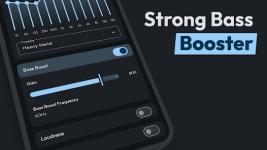
Flow Equalizer: Bass Booster v1.5.0 [Pro]
Flow Equalizer is an audio enhancement application designed to improve sound quality through precision sound effects and universal app compatibility across music, video, and gaming applications.Technical Specifications & Compatibility
| Specification | Details |
|---|---|
| OS Requirement | Android 6.0 and up |
| Current Version | v1.5.0 [Pro / Premium] |
| Interface Standard | Google Material Design |
| Hardware Support | Headphones, Speakers, Bluetooth Speakers, Subwoofers |
| Control Architecture | Independent toggles for Equalizer FX, Bass Boost, Volume Boost, and Virtualizer |
Key Features
- Variable Equalizer: Selectable configuration from 5-bands up to 12-bands for precise frequency customization.
- Distinct Volume Booster: Sound amplification functionality to increase audio loudness while minimizing quality degradation.
- Advanced Limiter: Dynamic range control to maximize volume and prevent distortion. Includes adjustable parameters: Attack Time, Release Time, Ratio, Threshold, and Post Gain.
- Dedicated Bass Booster: Low-frequency enhancement with bass boost frequency selection.
- 3D Virtualizer: Virtualization technology simulating a surround sound effect from stereo tracks.
- Automation & Integration:
- Automatic connection to active music and video players.
- Auto-Apply Presets: Detects headphone connectivity to deploy specific user profiles instantly.
- Automation app integration support.
- Global Mix connectivity optimization.
- Preset Library: Preloaded audio profiles for various genres (including Folk, Dance, EDM, Heavy Metal, and Classical).
- Data Management: Backup and restore functionality for custom configurations.
- Widgets: Dedicated shortcut widgets for quick-access control.
Usage & Workflow
- Initialize the external music/audio player application.
- Launch Flow Equalizer to configure the desired sound levels, effects, and frequencies.
- Connect audio output hardware (headphones recommended).
- To terminate processing, deactivate the effects switches within the application interface.
Changelog (v1.5.0)
- New Features:
- Added Advanced Limiter module.
- Added shortcut widgets.
- Added support for automation applications.
- Added bass boost frequency selection capability.
- Added backup and restore functionality.
- Bug Fixes & Optimizations:
- Resolved issues with the backup/restore mechanism.
- Resolved connection stability issues with Global Mix.
- Resolved User Interface (UI) latency and lag.
- General performance improvements and bug resolutions.