👨‍🏫 Tutorial Disconnected/Unpaid PLDT Fibr bypass using VPN

Veraix

Elite

Step 1: Download Avira Prime VPN

Download and install the Avira Prime VPN on your PC or mobile device from the official website

If you want to get the avira prime pro just dm me
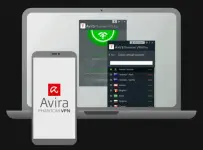
You do not have permission to view the full content of this post. Log in or register now.

Step 2: Launch and Connect to a VPN Server

Open the Avira Prime VPN application and log in. Choose any server from the list and connect to it.
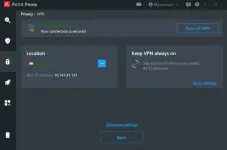
You do not have permission to view the full content of this post. Log in or register now.

Step 3: You're Connected!

TADA! You are now securely connected to the VPN. You can browse the internet, download content, and enjoy an enhanced online experience
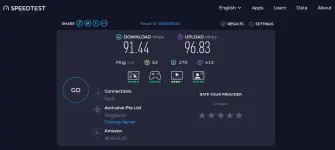
You do not have permission to view the full content of this post. Log in or register now.

Proof of working

You do not have permission to view the full content of this post. Log in or register now.
 
pero red na kasi sa router ts :<
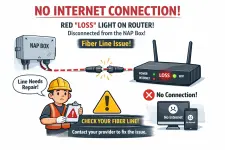
The red LOSS light on your router usually indicates a disconnection between the router and the NAP box (Network Access Point), meaning your internet connection is not active. You won’t be able to use the internet through this method unless you resolve the issue with your fiber line (i.e., have it repaired or reconnected).

Make sure to check the fiber cable or contact your service provider to fix the line.
Red loss means.webp

Sa tagalog PUTOL po ang linya nyo
 

About this Thread

  • 86
    Replies
  • 4K
    Views
  • 54
    Participants
Last reply from:
hadji_abdulhalim

Online now

Members online
1,118
Guests online
981
Total visitors
2,099

Forum statistics

Threads
2,277,796
Posts
28,978,841
Members
1,229,068
Latest member
junryl05
Back
Top