 PH
PH

WiFi Mouse Pro | Version 5.2.0
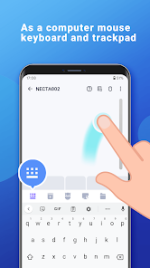
WiFi Mouse provides a sophisticated suite of remote control capabilities, transforming Android devices into high-performance wireless input peripherals. By leveraging a local network connection, the application enables seamless interaction with PC, Mac, and Linux systems, effectively simulating a full-scale mouse, keyboard, and multi-touch trackpad.Core Functionality
The application facilitates fluid navigation of desktop environments through standard click and scroll functions, alongside advanced multi-finger gestures for precise window management and drag-and-drop operations.- Cross-Platform Integration: Full support for Windows, macOS, and Ubuntu (Linux).
- Advanced Input Methods: Integrated voice-to-text functionality and handwriting recognition for remote command execution.
- Specialized Controllers: Dedicated interfaces for media players, web browsers, and presentation software (e.g., PowerPoint).
- System Management: Remote access to power functions including shutdown, restart, and logout.
- Efficiency Tools: Centralized interface for application launching and rapid task switching.
Technical Specifications
The software features a refined Material Design UI with customizable themes to suit user preference. To establish a secure connection, users must install the companion Mouse Server software on the target host computer.Release Information
Latest Version Updates- Optimized connection stability for high-latency networks.
- Refined gesture tracking sensitivity.
- Updated UI elements for modern display resolutions.
- Version: v5.9.0 [ρáíd] [Bundle]
- Status: Premium Features Unlocked
- Architecture: Universal
Download