PH
PHTutorial para pag DL and activate ng Microsoft Office mo!
Note: delete mo muna yung existing office application mo1st step
Download Office Deployment Tool (link below)
Download2nd Step
- Run as Administrator
View attachment 4046274 - Select file mo lang kung saan mo gusto ma extract
- then pagtapos delete mo lang to
View attachment 4046278
3rd Step
Download- choose 64-bit
- then click the "Office Suites"
- choose "LTSC Professional Plus 2024 - Volume License"
View attachment 4046297 - Next is choose language "English (United States)"
View attachment 4046311 - then click "EXPORT", choose "Office Open XML formats", then click ok.
View attachment 4046313
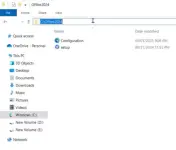
- pag ka Dl mo need mo sila pag samahin sa isang folder at ilagay sa (C
 or Local Disk (C
 - Copy mo lang yang nasa taas
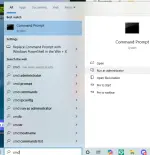
- Punta ka sa bottom left ng windows mo the type "CMD" then Run as Administrator
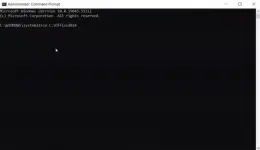
- Pag ka open type "cd (ctrl+v)" Enter
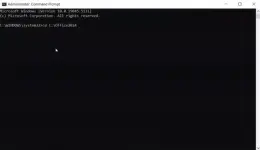
- Copy mo lang to "setup /configure configuration.xml" then hit ENTER!
Enjoy! Matsalab sa pag react and comment!!!