 PH
PH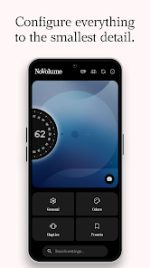
APP DESCRIPTION
NoVolume: Nothing OS-Inspired Haptics
Elevate your audio control with NoVolume, a customizable volume slider designed for high-definition haptics. Inspired by Nothing OS, this app transforms volume adjustment into a tactile experience through precision feedback.
Key Features
Tactile Haptics: Optimized for Nothing and CMF phones to simulate the "tick" of a physical wheel.
Full Positioning: Adjust slider height, size, and alignment to match your physical buttons.
App Exclusions: Prevent the overlay from appearing in specific apps like the Camera.
Adjustable Speed: Control swipe sensitivity from 0 to 100 in a single gesture.
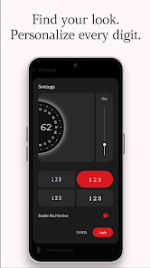
Visual Customization: Change font weights, number sizes, and add shadows.
Premium Benefits
Advanced Haptics: Access three distinct vibration profiles.
Unlimited Colors: Full transparency and color control for all UI elements.
Preset Community: Share and download anonymous presets from other users.
Technical Details
Compatibility: Android 8.0 or higher.
Note: Requires Accessibility Services to detect button presses and display the overlay. No personal data is collected.
Limitation: Operates within Android's default volume steps.
Hold the slider to quickly access system notification and alarm settings.
• The biggest update ever is finally here. Version 4.0
• Added a full circle design and vertical bar design
• (Styles -> Style) - Show step level instead of volume%
• (General -> More Settings -> Volume/Minor Number Settings) - Inverted scrolling can now be enabled on both sides - New custom position settings
• (General -> Position Settings) - Added double tap to silent - Added custom fonts import - Added bounce feedback when reaching max or minimum volume - Added volume limiter - Much more More Info: Code: Select all
- NoVolume v4.00 [Premium]
- You'll need the premium version to do the following:
- Download presets made by other premium members, if you don't have enough inspiration or when you don't know where to start.
- Premium features unlocked;
- All Debug Codes Removed;
- Modded By TRUMods
- Inverted scrolling can now be enabled on both sides
- Premium