 PH
PH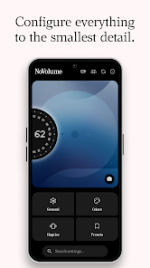
NoVolume v5.00 [Premium]
NoVolume is a custom volume slider replacement inspired by the Nothing OS aesthetic, featuring integrated HD haptic feedback designed to emulate physical "select wheels" found in automotive hardware or digital guitar pedals.Technical Specifications
| Category | Requirement / Detail |
|---|---|
| Android Version | 8.0 or higher |
| Architecture | armeabi-v7a, arm64-v8a |
| Primary Support | Nothing and CMF devices (HD Haptic Motor required for "tick" feedback) |
| Permissions | Accessibility Services (for overlay display and volume button interception) |
| Volume Steps | Standard Android increments (typically 16 steps) |
Feature Breakdown
Free Version Capabilities
- App Exclusion: Blacklist specific apps (e.g., Camera, Phone) to maintain native hardware button functions for shutter or call volume.
- Touch Dynamics: Adjustable touch control speed (sensitivity).
- Layout Customization: Modify position, size, and alignment to match physical hardware buttons.
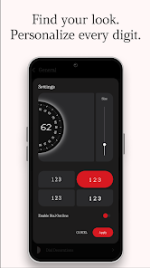
- Typography: Custom number sizing and font weight adjustments.
- Visual Effects: Toggleable drop shadows.
Premium Features (Unlocked)
- Haptic Engine: Access to three distinct haptic profiles with full customization of "tick" intensity.
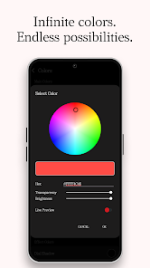
- Color Engine: Complete Hex/Transparency control for all UI elements (numbers, backgrounds, shadows).
- Preset Cloud: Anonymous sharing and downloading of community-created slider presets.
- Advanced Styling: Access to the new "Custom" style (Style 4) for granular UI building.
Mod Information
- Release Version: v5.00
- Modder: TRUMods
- Mod Details: * Premium features fully unlocked.
- Cleaned unnecessary files and resources.
- All debug codes and trackers removed.
Usage & Limitations
- Extended Controls: Long-press the slider to trigger the default Android system volume panel for alarm and notification toggles.
- Hardware Limitation: Devices with standard vibration motors (ERM) will not experience the HD haptic "tick" effect; feedback is optimized for Linear Resonant Actuators (LRA).
- Uninstallation: To disable or remove the overlay, the application must be toggled off within the Android Accessibility settings menu.
What's New in v5.00
- Added a 4th "Custom" style for manual slider construction.
- Stability fixes for crash-prone environments.