PH
PHWanna publish/deploy your own Movie/TVShows website?
Pre-requisites:
- Cloudflare Account (for hosting using Cloudflare Pages)
- TMDB READ_ACCESS_TOKEN
- Github Account (Optional but recommended for version control---but needed git knowledge)
For Codebase / Source Files, just visit this URL: You do not have permission to view the full content of this post. Log in or register now.
Since open-Source ang source code nito sa Github: , may two options ka:
A. Dahil public repository ito, with or without account, ma-download mo 'to as a zip file. Unzip it.
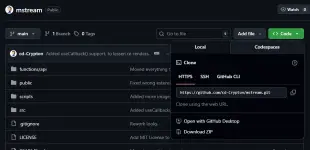
B. Or, if gusto mo yong mas may control sa versioning and other things, create an account, then fork the repository, name it what you want.
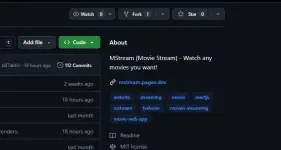
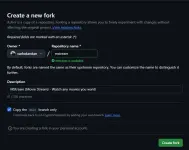
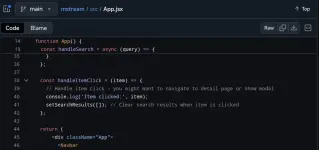
Note: Now, make sure na i-edit yong mga logos, names ng site, etc. Change all the instances of mstream/MSTREAM in:
Code:
vite.config.js
index.html
src/pages/About.jsx
src/pages/Disclaimer.jsx
src/components/Footer.jsx
src/components/Navbar.jsx
package.json
public/config/manifest.json
wrangler.jsonc (naming here is important, use only small letters)

Change images in public/ folder as well. Carefully check each one.
Create TMDB Account, just visit this URL: You do not have permission to view the full content of this post. Log in or register now.
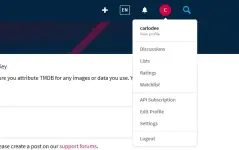
Hindi ko na i-detail ang registration, its pretty much self-explanatory. After registration:1. Go to Settings.
2. Go to API and copy API Read Access Token, save it for later.
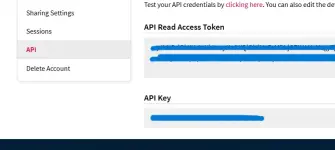
Create Cloudflare Account (Direct Registration or Signup using available option such as Google, etc.)
Hindi ko na rin i-detail ang registration, its pretty much self-explanatory. After Registration:
1. Click the
+Add > Pages > If you download the zip and unzip, choose: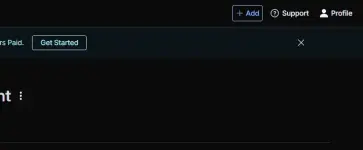
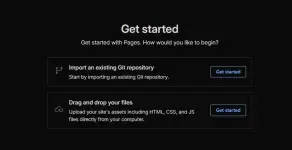
- Drag and Drop your files and upload all the files inside the folder. It will ask you the name, it should be the same name present in wrangler.jsonc file, its case-sensitive. Then
Deploy site.- But if you forked the repository, Import an existing Git repository. It will prompt you to connect Github to Cloudflare, thats an easy task anyway. It will ask you the name, it should be the same name present in wrangler.jsonc file, its case-sensitive.
Code:
Project Name: {Name in wrangler.jscon}
Production Branch: main
Framework preset: None
Build Command: npm run build
Build output Directory: /dist
- Save and Deploy.
After Deployment > Go to Workers and Pages > Choose the Project > Settings:
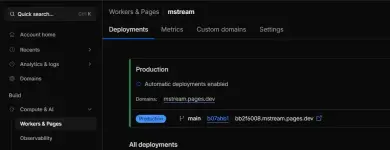
Go to Variables and Secrets > +Add:
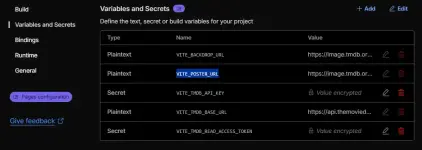
Code:
Variable Name: VITE_TMDB_READ_ACCESS_TOKEN
Value: {paste here your API Read Access Token you saved earlier from TMDB}
Then bwalaaaaaaaaa, may bagong movie and tv show website ka na. Yey! Now, its up to you if you want to add ads on it. You check other thread here how to do that. Here are some screenshots I have for my MSTREAM.

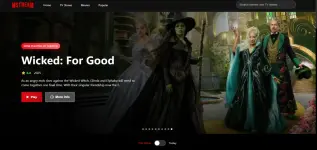
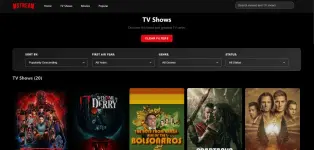
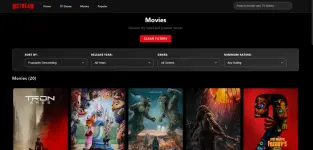
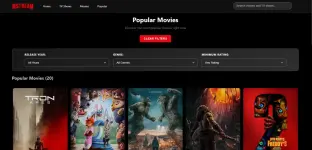
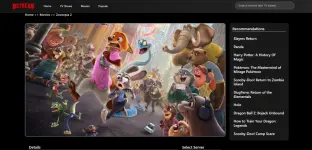
Credits to darkemo07, sa kaniya galing base ng website na 'to.
Disclaimer: Movies and tv-shows are hosted in a third-party source. Most of those sources have ads already attached in their videos (iframe-based). So yeah, its not mine.
Any questions? Suggestions? Feel free to comment here or do a pull request in github. Thank you so much!
View attachment 3989122