PH
PH
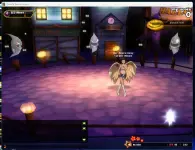
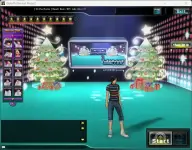
iDate, the first online interactive dating game, infuses your casual dating experience with music, dance and competition. Find your match on the dance floor and groove your way into love!
Download Links:
Client
You do not have permission to view the full content of this post. Log in or register now.
Server Emulator
You do not have permission to view the full content of this post. Log in or register now.
If those links don’t work, please use these mirrors:
Client (Mirror)
You do not have permission to view the full content of this post. Log in or register now.
Server Emulator (Mirror)
You do not have permission to view the full content of this post. Log in or register now.
Please follow this order when installing:
- Install NodeJS
The server emulator needs this to run properly.
- Install the Client
- Install the Server Emulator
- Install NodeJS
How to launch and play
- Start the Client
- Run iDateLauncher.exe.
- After a short while, the iDate game window will appear.
- You can close the launcher once the main game window is open.
- Start the Server Emulator
- Launch the server emulator.
- Before clicking Start, open the settings and set your IGN and gender.
- When you’re done, click the Start button at the top-right of the window.
- Log In to the Game
- You don’t need an account.
- Leave the username and password fields empty.
- Click Login and you’ll be redirected to the server selection screen.
- Choose your server and desired channel. Sometimes it will take 15 minutes to load.
The transition between channel selection and entering the club can take some time.
If it feels like you’re stuck on loading, don’t worry for this is normal. Just let it load, and your game will start soon.
That’s everything! I hope everyone enjoys playing iDate once again!