 PH
PHPHC_Sildura
Elite
You do not have permission to view the full content of this post. Log in or register now.
Download Here

Description
Instantly fetch and download synced lyrics (.lrc) for any Spotify track, album, or playlist directly from the web player.
Syncrics is the ultimate lyrics companion for Spotify Web Player. Effortlessly fetch, view, and download time-synced lyrics for your favorite songs with a single click.
Whether you're a music collector, karaoke enthusiast, or just want to save lyrics for offline use, Syncrics makes it simple.
Key Features:
 Instant Auto-Detection - Automatically detects when a song is playing on Spotify. The "Detect Track" button pulses to let you know lyrics are ready!
 Top Songs - Quickly access and download lyrics for the Top songs directly from the home screen.
 Advanced Search - Search for any Track, Artist, or Album directly within the extension. No need to navigate away.
 Artist Profiles - Explore an artist's top tracks and albums in a dedicated view.
 Download as LRC - Save time-synced lyrics as standard ".lrc" files, compatible with most music players (MusicBee, Foobar2000, Poweramp, etc.) and karaoke software.
 Bulk Download Support - Need lyrics for an entire album or playlist? Syncrics can process whole collections and zip them up for you in seconds.
 Smart Navigation - Easily navigate through your search history (Search -> Artist -> Album). Use the "Del" key to go back to the previous view.
 Modern & Clean UI - Enjoy a beautiful, Material Design 3 inspired interface
 Customizable - Configure filename formats to match your music library organization.
How to use:
1. Setup (One-time):
- Open the extension and click the "Settings" (gear icon).
- Enter your "sp_dc" cookie from Spotify. (Instructions included in the extension).
- Click "Save". You're ready to go!
2. Open Spotify Web Player
3. Click Syncrics: The "Detect Track" button will animate if a track is detected.
4. View & Download: See the synced lyrics instantly. Click "Download .lrc" to save.
5. Search & Explore: Use the search bar to find other songs, albums, or artists
 Secure & Private
Your data stays yours. Syncrics runs locally in your browser and communicates directly with Spotify's servers. No third-party trackin
Screenshots:
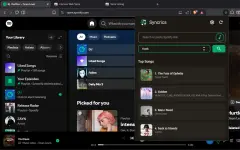
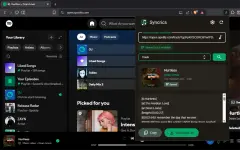
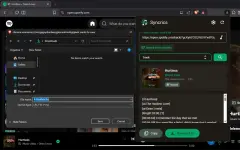
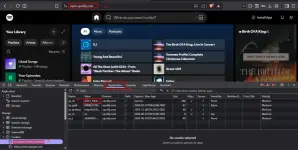
How to get SP_DC token:
- Open You do not have permission to view the full content of this post. Log in or register now.
- Press F12 (DevTools) go to Application tab
- under Cookies, click You do not have permission to view the full content of this post. Log in or register now.
- Copy value of sp_dc
Actual Usage:
1. Downloadan n'yo yung song nyo na walang lyrics.
2. Save nyo lang ang lyrics file kung saan naka lagay ang file ng song.
3. rename lrc file if needed, dapat magkapariho sila ng filename ng song, para ma read ng music player ninyo (see final output).

3. Final Output
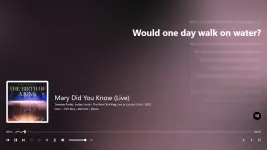
Para to sa mga karaoke enthusiast d'yan like me , subukan n'yo na guiz.
Para sa gustong sumuporta, visit n'yo lang ang Ko-Pi page ko
You do not have permission to view the full content of this post.
Log in or register now., subukan n'yo na guiz.Para sa gustong sumuporta, visit n'yo lang ang Ko-Pi page ko