-Free Internet- on Captive Portals - Works in Any Country -

GET You do not have permission to view the full content of this post. Log in or register now.

GET You do not have permission to view the full content of this post. Log in or register now.


i tried this two codes (experiment 🥲🥲)

not working
It should be

GET You do not have permission to view the full content of this post. Log in or register now.

GET You do not have permission to view the full content of this post. Log in or register now.

-----------------------
also check for tcp port 443, 8080

and remove
set local tcp port as 0 not 80
 
If droidvpn shows port 80 connected but not connecting,
then try with
Psiphon pc

run dpi bypass tool, and keep the window open, dont close
and
run psiphon

download:
You do not have permission to view the full content of this post. Log in or register now.
or
You do not have permission to view the full content of this post. Log in or register now.
or
You do not have permission to view the full content of this post. Log in or register now.
thank you sir i will update you again
 
ALSO DONT PUT ANYTHING IN
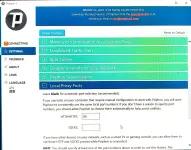
LOCAL PROXY PORTS IN PSIPHON, JUST PUT 0 NOT 80 OR ANYTHING, WE SHOULD NOT CHANGE ANY SETTING IN PSIPHON JUST OPEN IT, SET COUNTRY TO 'BEST PERFORMANCE', THAT'S IT.

NOTE: FOR FREE INTERNET B4 CONNECTING TO ANY VPN LIKE DROIDVPN OR PSIPHON , WE SHOULD KEEP 'DPI BYPASS TOOL' OPEN AND RUNNING
 
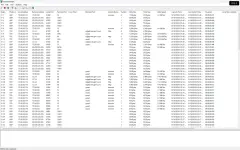
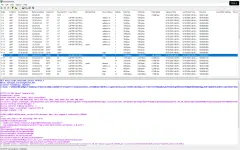
I WANT THE SCREENSHOT(OR LOG) OF THE PACKET SNIFFER WHEN CONNECTING THRU ONLY BY DROIDVPN NOT PSIPHON, BCOZ IN DROIDVPN ITS SHOWING 302 ?? HTTP RESPONSE
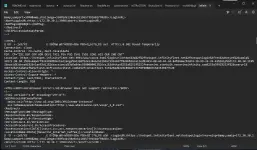
I WANT TO KNOW THE HTTP RESPONSE LIKE THE HEADER
LOCATION: ???????????????
ON WHICH THE DROIDVPN SERVER I.E., @ON PORT 80 CONNECTED
okay sir i will try again thank you
 
I WANT THE SCREENSHOT(OR LOG) OF THE PACKET SNIFFER WHEN CONNECTING THRU ONLY BY DROIDVPN NOT PSIPHON, BCOZ IN DROIDVPN ITS SHOWING 302 ?? HTTP RESPONSE
I WANT TO KNOW THE HTTP RESPONSE LIKE THE HEADER
LOCATION: ???????????????
ON WHICH THE DROIDVPN SERVER I.E., @ON PORT 80 CONNECTED
1000829946.webp
Sir good day,

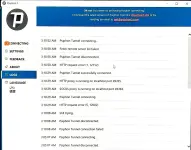
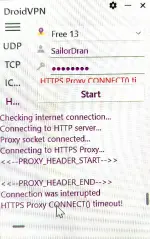
please see attached screenshot

thank you

newbie lang po sir hehe pasensya na po.😅😅
 
show the content of the header response log in a txt file, and provide the link
of this like shown
You do not have permission to view the full content of this post. Log in or register now.
sir after ko gamitin yung packet sniffer mo ayaw na mag bukas ng dpi bypass kahit naka run as admin sinubukan ko yung unang sinend mo na dpi bypass ayaw din mag run.

thanks po

anjan na sir naka txt file sana tama ini attach ko
 

Attachments

Try this HTTP Headeers
[Hidden content]
suko na ako sir ayaw na din mag open ng dpi bypass na app

nilagay ko lahat ng headers kahit di ko ma open yung dpi bypass result unexpected http data received


tapos yung nilagay ko yung ip at port eto naman result
1000830114.webp


salamat sir next time na lang po ulit.
 
suko na ako sir ayaw na din mag open ng dpi bypass na app

nilagay ko lahat ng headers kahit di ko ma open yung dpi bypass result unexpected http data received


tapos yung nilagay ko yung ip at port eto naman result
View attachment 4301306


salamat sir next time na lang po ulit.
without proxy what's the result,

b4 in the packet capture, in ur screenshot it shows
You do not have permission to view the full content of this post. Log in or register now.

but it should show like this when dpi bypass is running, the headers are at the bottom, not at the beginning, see here
You do not have permission to view the full content of this post. Log in or register now.
also disable ipv6 in in the tcp/ip settings
and try
You do not have permission to view the full content of this post. Log in or register now.
 
i
without proxy what's the result,

b4 in the packet capture, in ur screenshot it shows
You do not have permission to view the full content of this post. Log in or register now.

but it should show like this when dpi bypass is running, the headers are at the bottom, not at the beginning, see here
[Hidden content]

also disable ipv6 in in the tcp/ip settings
and try
[Hidden content]
will try again sir i will update here

thank you
 

Similar threads

About this Thread

  • 258
    Replies
  • 11K
    Views
  • 35
    Participants
Last reply from:
extrarize

Online now

Members online
1,194
Guests online
4,576
Total visitors
5,770

Forum statistics

Threads
2,312,804
Posts
29,170,217
Members
1,185,386
Latest member
Jamtech05
Back
Top