 PH
PHArissa ofuma
Contributor
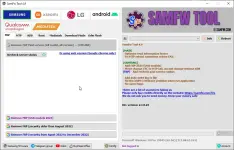
Here You Can Download SamFw FRP Tool V4.9 Rebirth Version For Free, I Will Step By Guide You On How To Install SamFw FRP Tool On Your Computer.
SamFw FRP Tool V4.9 is a free tool for Samsung devices. Using this tool, you can remove FRP (Factory Reset Protection) with just one click. The latest version of this tool adds FRP 2024 for USA models. ρáíd services are also available but optional.
SamFw FRP Tool V4.9 Features
SamsungYou do not have permission to view the full content of this post. Log in or register now.
 File Password: 2025
- Test mode (#0#)
- Remove FRP
- Remove FRP new security
- Factory reset
- Disable Knox
- Disable Factory mode
- MTP mode
- Enable secret code for Verizon
- ADB mode
- Change CSC
- Remove Samsung account
- Enable Toggle mobile data
- Change CSC root mode
- Download mode
- Exit Download mode
- Soft brick Fix
- FRP Android 5/6
- Odin Flash
- Save recent flash files
- Auto-detect file and select slot
- Auto-extract for ZIP file
- Ignore MD5 checksum
- Check Driver signature enforcement status
- Disable/Enable Driver signature enforcement
- Install Samsung USB driver
- Install VC++ 2015
- ADB
- Bypass Micloud Android 8.1
- Enable Diag [ROOT]
- Fastboot
- Remove FRP
- Sideload
- Factory reset
- Reset MiCloud
- [QUALCOMM] Bypass Micloud clock (Anti relock)
- [QUALCOMM] Remove bypass Micloud clock (Anti relock)
- Read offline Micloud information
- EDL 9008
- Reset FRP
- MTP
- Factory reset
- EDL (Support LG G7, G8, G8X, G8S, V30, V40, V50, V50S, Q6, G5, G6, V20, V35, V60)
- Remove FRP
- LG UP
- Flash LG KDZ
- ADB
- Battery information
- Disable/Enable OTA Update
- Set language
- Factory reset
- Hide Developer options
- FRP
- Open Browser (FRP)
- APP Manager
- ROOT
- EDL 9008 Partitions manager (Read/Write/Erase)
- EDL 9008 Reset FRP, Factory reset, Erase userdata
What’s new
Main Updates- Optimized information reading speed.
- Fixed MTP reboot issue (sometimes returned FAIL).
- Samsung Specific Updates:
- Added FRP 2024 for USA models.
- Moved change CSC to MTP tab (accepts changes without ADB).
- Other Updates:
- Added recheck for ρáíd service status.
- Added auto-write log to file.
- Fixed the X509 certificate issue when running the application.
- Fixed other minor bugs.
How To Install SamFw FRP Tool V4.9
- Download the tool from the link provided
- After Downloading, Extract Zip File
- Open SamFwToolSetup, and install With Basic Instruction
- After Installing, Open Tool From Desktop
- After That Install All USB drivers, or skip this step if installed.
- Then Connect your phone and perform the desired function
SamFw FRP Tool V4.9 Download Link
You do not have permission to view the full content of this post. Log in or register now.You do not have permission to view the full content of this post. Log in or register now.