PH
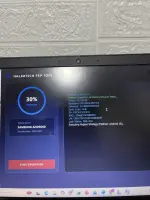
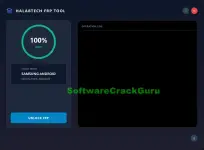
PHIf your Samsung phone is stuck on the Google account screen after reset, this new HALABTECH FRP Tool is a quick option to try. The interface is clean and the tool supports the latest 2024–2025 security patches.
Features:
 Auto-detect Samsung device
Works on latest Android security updates
Simple one-click FRP unlock
Live operation log
How to use:
 Install Samsung USB drivers
 Connect the phone (FRP screen)
 Wait for “100% Ready”
 Click UNLOCK FRP
Done.
 Note: May not work on all Samsung models. Use only for your own device or legal repair work.
Link 1:
Download
Link 2:
Download
Features:
Auto-detect Samsung device Works on latest Android security updates Simple one-click FRP unlock Live operation logHow to use:
Install Samsung USB drivers Connect the phone (FRP screen) Wait for “100% Ready” Click UNLOCK FRPDone.
Note: May not work on all Samsung models. Use only for your own device or legal repair work.Link 1:
Download
Link 2:
Download