 PH
PHrainych_ran
Contributor
If you’re like me, juggling multiple email addresses for different purposes — newsletters, online sign-ups, work, side projects — it can get overwhelming pretty fast. That’s why I’m really excited to share a gem I found recently!
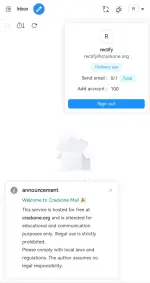
I’ve been using this service for about a month now, and honestly, I love it. It’s a simple yet powerful email platform that lets you create up to 100 different email addresses under a single account. And the best part? All of them are permanent — no expiration dates, even though the site is still in beta.
I’ve tested it with everything from newsletter signups to creating test accounts on various platforms — it works smoothly, and I haven’t missed a single forwarded email. Plus, it’s a nice way to keep your primary email private and spam-free.
Whether you’re a developer, marketer, privacy enthusiast, or just someone who’s tired of email clutter, Inbox offers a smart solution. The ability to segment your digital life with permanent, unique
email addresses under one roof is seriously underrated.
If you want to simplify and protect your email experience, I highly recommend giving it a shot.
I’ve been using this service for about a month now, and honestly, I love it. It’s a simple yet powerful email platform that lets you create up to 100 different email addresses under a single account. And the best part? All of them are permanent — no expiration dates, even though the site is still in beta.
Key Features That Stood Out to Me
- 100 email addresses under one login
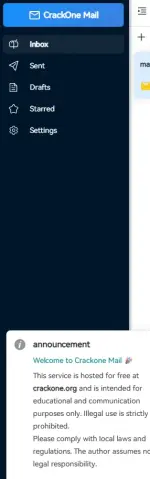
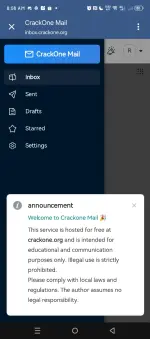
You can manage them all from one dashboard — super convenient for organizing your digital life. - Email forwarding
Get emails from any of your inbox addresses forwarded to your primary email. Great for centralizing everything. - Permanent addresses
Unlike temporary email services, these addresses stick with you. No fear of losing access or having them expire later. - Beta Access Code
Since the platform is still in beta, you’ll need a code to join. Luckily, the team is currently offering one:
I’ve tested it with everything from newsletter signups to creating test accounts on various platforms — it works smoothly, and I haven’t missed a single forwarded email. Plus, it’s a nice way to keep your primary email private and spam-free.
Why You Might Want to Try It
Whether you’re a developer, marketer, privacy enthusiast, or just someone who’s tired of email clutter, Inbox offers a smart solution. The ability to segment your digital life with permanent, unique
email addresses under one roof is seriously underrated.
If you want to simplify and protect your email experience, I highly recommend giving it a shot.


 helpful po neto