 PH
PHArissa ofuma
Contributor
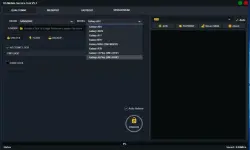
Here You Can Download VG Tool V5.1 For Free, And I Will Step By Step Guide You On How To Install VG Tool On Your Computer.
VG Tool V5.1 is a free tool made by Pradeep Udayanga. It may be small, but it’s very powerful and offers many features usually found in ρáíd tools.
It works with Qualcomm, MediaTek, SpreadTrum, and Fastboot devices. You can use it for FRP removal, MI account bypass, factory reset, bootloader unlock, and flashing firmware.
You do not have permission to view the full content of this post. Log in or register now.
 File Password: 2025
It also supports EFS/NV backup, partition work, and works with top brands like Xiaomi, OPPO, Realme, VIVO, and Samsung — all for free with a keygen!
VG Tool V5.1 Features
Unlock- Account Lock:
- FRP Lock
- FRP Lock [MI Assistant Mode]
- MI Account Bypass [MI Assistant Mode]
- User Lock:
- Factory Reset
- Factory Reset [MI Assistant Mode]
- Factory Reset [Master Clear]
- Load the XML firmware
- Tick: Backup EFS + Auto Reboot
- Click “Flash” button
- Method:
- Flashtool Firmware
- Full Firmware
- Custom Firmware
- EFS Backup
- Optional:
- Auto Reboot
- New Userdata
- Load Partition
- Erase Partition
- Backup Partition
- Reboot Device
- Xiaomi
- OPPO
- Realme
- VIVO
- Huawei
- Samsung
- Tecno
- Infinix
- Meizu
Unlock [Account Lock]:- FRP Lock Remove
- FRP Lock Remove (Method 2)
- Factory Reset
- Factory Reset [Meta]
- Factory Reset [Format]
- Bootloader Unlock/Relock
- Full support for Scatter Files with options:
- Auto Reboot
- Repair GPT
- Erase FRP After Flash
- Unlock Bootloader After Flash
- Backup NV
- Auto Convert to High-Speed Mode
- Handle Device Partition
- Auto Reboot
- Loader Table
- Erase Selected Partition
- Backup Firmware
- Flashtool Firmware
- Custom Firmware
- NV Backup
Account Lock:- FRP Lock Remove
- Factory Reset
- Bootloader OEM Unlock
- Open Bootloader Unlock Tool
- Bootloader (OEM) Lock
- Flashing Unlock
- Set Boot Slot to (A) / (B)
- Fix DM Error 1, 2
- Auto Reboot
- FlashAll.bat file
Unlock:- ADB FRP Bypass
- Run VG SPD Reset Tool
VG Tool V5.1 Download Link
You do not have permission to view the full content of this post. Log in or register now.Password softwarecrackguru
What’s New in VG Tool V5.1 (2025 Update)
The 2025 update brings several powerful features that make VG Tool more useful than ever:
Support for Latest Android 13 & 14 Devices
Improved SPD and MTK Module Performance
One-Click Pattern Lock Removal (No Data Loss for MTK)
Firmware Flashing with Auto Port Detection
Bug Fixes for Qualcomm EDL Mode Flashing
New GUI with Fastboot One-Tap Commands
K3ygen Included for FREE Lifetime Activation
How to Use VG Tool V5.1—Step by Step
Connect Your Android Device via USB
Choose the Appropriate Chipset (MTK, SPD, Qualcomm, or Fastboot)
Select the Operation (e.g., Format, FRP, Flash)
Click “Start” and Wait for the Process to Complete
Device will Reboot Automatically or Show a Success Message
Make sure you have the correct drivers installed and always back up important data before performing any operation.
VGTools generating the log in key copy the hwId on tools paste it on the keygen and press getID on keygen then generate thats it


copy and paste the link on your browser
K3ygen
You do not have permission to view the full content of this post. Log in or register now.
VG tools
You do not have permission to view the full content of this post. Log in or register now.
Alternative Link
You do not have permission to view the full content of this post. Log in or register now.