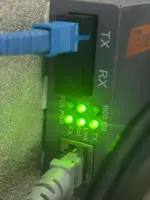
Hello! It sounds like you're experiencing some issues with your media converter. Here are some troubleshooting steps you can try:
1. Check Power and Connections:
- Ensure that the media converter is receiving power and that all connections are secure. Loose cables can cause connectivity problems.
- Try plugging the media converter into a different power outlet or using a different power adapter to rule out power issues.
2. Check Fiber Cable:
- Inspect the fiber cable for any damage or bends that could be affecting the connection. Ensure it is properly terminated.
- Try using a different fiber cable to see if the issue persists.
3. Check Settings:
- Verify the settings on your media converter, such as the FDX (Full Duplex) mode. Make sure it is set correctly for your network environment.
- Check if there are any firmware updates available for the media converter and install them if needed.
4. Reset the Media Converter:
- Try resetting the media converter to its factory settings. Refer to the user manual for instructions on how to do this.
- After resetting, reconfigure the settings as needed and test the connection again.
5. Contact Technical Support:
- If the issue persists after trying the above steps, it may be a hardware problem with the media converter. Contact the manufacturer's technical support for further assistance or to inquire about warranty options.
Remember to handle fiber optic cables carefully to avoid damaging them. I hope these suggestions help you troubleshoot the issue with your media converter. Good luck, and I hope you can resolve the problem soon!
 PH
PH