 PH
PHrainych_ran
Contributor
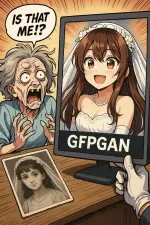
 What’s This?
GFPGAN is a free tool made by Tencent (yes, the PUBG folks) that magically fixes old, blurry, busted photos—especially faces.
It works online, offline, and probably in your dreams. No signup, no watermark, no “upgrade to Pro” trap.
You upload an ancient photo ➜ it restores the face ➜ you cry ➜ grandma calls it witchcraft.
 Try It Instantly Online (No Downloads, No Excuses)
- Hugging Face Demo – Drop photo, click button, feel emotions
- You do not have permission to view the full content of this post. Log in or register now.
- You do not have permission to view the full content of this post. Log in or register now.
- You do not have permission to view the full content of this post. Log in or register now.
- You do not have permission to view the full content of this post. Log in or register now.
- You do not have permission to view the full content of this post. Log in or register now.
- Replicate Demo – Same magic, slightly fancier
You do not have permission to view the full content of this post. Log in or register now.
 How to Use It on Your Own PC?
1. Get Python
Go here → You do not have permission to view the full content of this post. Log in or register now.Click download, run it, tick the scary “Add to PATH” box or it won’t work and you’ll cry lol.
2. Copy the Tool
Open terminal or command prompt. Type this:git clone https://github.com/TencentARC/GFPGAN.git && cd GFPGAN3. Install the Junk It Needs
Type:pip install -r requirements.txtThis downloads all the brain parts.
4. Download Its Memory
Type:python setup.py downloadIt pulls in the big model file (basically, the AI’s “face memory”).
5. Fix Your Photo
Put your sad photo in the folder. Then type:python inference_gfpgan.py --input yourphoto.jpg --output fixedphoto.jpgBoom. Youth restored. You’re welcome.
 Too Lazy to Install? Use Google Colab
Open this free Colab notebook:
Google Colab | You do not have permission to view the full content of this post.
Log in or register now. |
- Click “Runtime > Run all”
- Upload photo
- Wait
- Download your miracle
 Make It Colorful
Option 1:
- Web Tool (Zero effort): You do not have permission to view the full content of this post. Log in or register now.
- Google Colab (For brave souls): You do not have permission to view the full content of this post. Log in or register now.
Option 2:
- Website: You do not have permission to view the full content of this post. Log in or register now.
- No login. Upload > Choose vibe > Download > Cry happy tears
 Heads Up
- Don’t use this on perfect selfies. It’ll make your face look like an AI wax statue.
- If your internet sucks or you’re using Internet Explorer (why though?), online demos may lag or crash.
- Colab might randomly stop working if Google’s having a mood swing.
 Pro Mode Add-Ons
- Upscale with Real-ESRGAN – Turns 720p to 4K like a Marvel VFX team:
You do not have permission to view the full content of this post. Log in or register now. - Batch Fix Whole Folders
Make a folder calledinputs, dump all your cursed photos in it, then type:
python inference_gfpgan.py --input ./inputs --output ./outputs --suffix _restored - Speed Boost Trick
Want it faster? Use ONNX version. Link:
You do not have permission to view the full content of this post. Log in or register now.
 Final Thought
You just revived your dead photos using free tools from the internet.
Meanwhile, Adobe wants $30/month to crop your cat.
Stay broke, stay powerful.

(rainych ♡
 )
)