 PH
PH
Experience Home Cinema At Its Best. The Most Versatile Blu-ray, 8K, and 4K HDR Media Player for Windows. Meet the last media player you’ll ever need. PowerDVD is the perfect solution for any media format. From enhanced audio & visual playback to intuitive organizational tools, you can manage your entire media library of photos, videos, music, as well as Blu-ray and DVD movies, all in one application. Play, enhance, and share all of your favorite media with PowerDVD.
CyberLink PowerDVD Ultra Changelog
Below is the list of changes made to the current version of CyberLink PowerDVD Ultra.- Improves the compatibility on Intel Arc GPU.
- Improves the compatibility when importing TV Shows.
- Improves the program stability when browsing through the Music library.
- Improves the program stability when playing DVD video discs from file browser without launching the program.
- Fixes the issue that sort by date is incorrect if UI language is not English.
- Fixes the issue that European characters are displayed incorrectly with certain UTF-8 .SRT subtitles.
- Minor bug fixes and UX improvements.
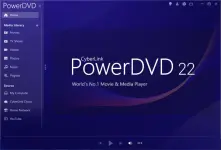
CyberLink PowerDVD Ultra Screenshots
How to use CyberLink PowerDVD Ultra?
Follow the below instructions to activate your version of CyberLink PowerDVD Ultra.- Install setup.
- Don’t launch PowerDVD yet. Merge the provided reg entry.
CyberLink PowerDVD Ultra Download Links
You do not have permission to view the full content of this post. Log in or register now. | You do not have permission to view the full content of this post. Log in or register now.