 PH
PH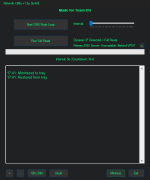
 Features
- DNS Flush Loop – Repeatedly flushes DNS every 5s–5min
- Full Reset – Flushes DNS, resets Winsock, TCP/IP, IPv4/6, ARP, routes
- Auto IP Detection – Skips DHCP steps if static IP is detected
- DNS Display – Shows primary DNS (hover for full list)
- Refresh Button – Update DNS info manually
- Progress Bar + Countdown – Track flush loop timing
- Font Size + Time Toggle – Adjust log font and 12hr/24hr format
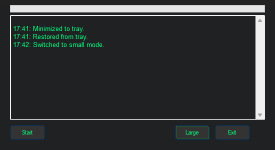
- Small Mode – Compact UI with just the essentials
- Tray Support – Minimize and restore from system tray
- Dark Theme – Clean, modern interface
- Exit Button – Instantly closes the app
 How to Use
- Run as admin
- Use Start DNS Loop or Run Full Reset
- Adjust interval with the slider
- View live log, status bar, and DNS details
- Toggle font size, time format, small mode, or minimize to tray
 Privacy Policy
- No data is collected, logged, or transmitted
- Works entirely offline
- Uses local ipconfig and nslookup only
- No telemetry or background services
Download:
You do not have permission to view the full content of this post. Log in or register now.
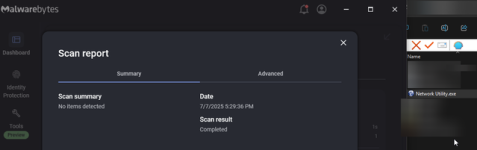
5/72 false positives on VT due to force running admin and the compression software.
Credits: Sl4d3 for development
 ... Bookmark ko muna ito.. salamat po
 di na nga ako masyado nakaka visit dito kase sobrang busy na huhu