 PH
PH
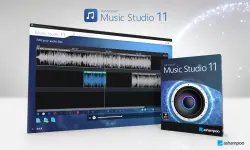
Feature of Ashampoo Music Studio
- Ability to copy an audio CD track and the direct conversion to the desired format (WMA, MP3, Ogg, FLAC and WAV)
- Automatic entry of music from audio CDs in categories like album, title and track
- Playback foreign formats such as M3U, PLS, ASX, P4U and WPL
- A tool for burn your favorite music applications such as audio CDs or Data CDs, DVDs or Blu-ray discs
- Manage and edit extraordinary change the title track as track or artist etc and converted into the desired format
- Perform specific operations such as mixing the track on or cut and apply effects such as Fade in, fade out, crossfade
- The sound of Flash, games such as microphone input, aux, etc and save it to the desired format, such as WMA, MP3, Ogg, FLAC or WAV
- The Mac N Find, move and repair damaged audio files
- File Name: Ashampoo Music Studio
- Developer: You do not have permission to view the full content of this post. Log in or register now.
- License Type: full_version
- Version: v11.0.4
-
- Supported Operating System: Windows 11, Windows 10, Windows 8.1, Windows 7.
- Required RAM: 2 Gigabytes RAM (4 GB recommended).
- Required Storage: 200 MB or more.
- Download dan ekstrak file “Ashampoo Music Studio” ini.
- Ekstrak juga file crack yang berada di dalam folder tersebut.
- Instal programnya seperti biasa.
- Setelah proses instalasi selesai, jangan dulu masuk ke dalam programnya.
- Buka folder crack, lalu copy pastekan semua file yang ada di dalamnya ke folder instalasi program “Ashampoo Music Studio” di pc atau laptop anda.
- Pilih copy and replace.
- Done.