 PH
PHWinRAR Ac†ïvâ†ør
Activation
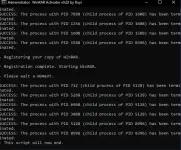
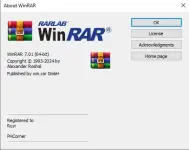
- This script automatically creates a valid "rarreg.key" file in WinRAR's installation folder.
- This method requires Internet at the time of activation.
- WinRAR updates can be installed directly without having to activate again.
- If you are facing difficulties with the one-liner, you can also use the manual solution
How to use it?
Note: Just fix the ac†ïvâ†ør word because the PHCorner filter word blocks it.
PowerShell (Windows 10/11)
Right-click on the windows start menu and select PowerShell or Terminal.
Copy-paste the code below and press enter:
iwr -useb You do not have permission to view the full content of this post. Log in or register now. | iex<br>

The activation will begin and automatically complete if there are no unforeseen issues.
That's all.
CMD as Admin (Windows 7/8/8.1)
Download the file with ".cmd" extension (You do not have permission to view the full content of this post. Log in or register now.)
Right-click on the file and select "Run as Administrator".
The activation will begin and automatically complete if there are no unforeseen issues.
That's all.
Manual Activation (Windows 7/8/8.1)
Download the "rarreg.key" file (You do not have permission to view the full content of this post. Log in or register now.)

Copy or Cut the file and Paste it in the installation folder of WinRAR.
Close any open WinRAR processes and start it again.
That's all.