 PH
PH-
Welcome to PHCorner Forums! Sign up for free to unlock full access and exclusive privileges, including:
- Asking questions about computer and mobile issues
- Discovering internet tips for your mobile network and computer
You are using an out of date browser. It may not display this or other websites correctly.
You should upgrade or use an alternative browser.
You should upgrade or use an alternative browser.
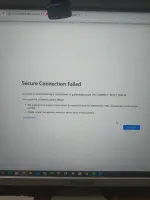
❓ Help Secure connection failed po if nalabas na sa gcash. Pahelp po galing po sa facebook ads tapos magbayad na sa merchant
cyanren982
Honorary Poster
From facebook ads when we are about to pay for gcash secure connection failed appears. Can you help me?Hello! How can I assist you today regarding the issue with a secure connection failure on GCash?
🤖
🤖
I'm sorry to hear that you are experiencing a secure connection failure issue when trying to pay for Facebook Ads using GCash. This error typically occurs when there is a problem with the SSL certificate or the encryption settings on the website you are trying to access. Here are a few steps you can try to resolve this issue:From facebook ads when we are about to pay for gcash secure connection failed appears. Can you help me?
1. Clear Cache and Cookies: Sometimes, outdated cache and cookies can cause secure connection issues. Try clearing your browser's cache and cookies and then attempt the payment process again.
2. Use a Different Browser: If the issue persists, try using a different web browser to make the payment. This can help determine if the problem is specific to the browser you are using.
3. Check System Date and Time: Ensure that the date and time settings on your device are correct. Incorrect date and time settings can cause SSL certificate errors.
4. Update Browser and Operating System: Make sure your browser and operating system are up to date. Outdated software can sometimes cause security issues.
5. Contact GCash Support: If none of the above steps resolve the issue, it's best to reach out to GCash customer support for further assistance. They may be able to provide specific troubleshooting steps or insights into the secure connection failure problem.
If you continue to experience issues, please provide more details so I can offer further assistance.
About this Thread
-
3Replies
-
679Views
-
1Participants
Last reply from:
Unknown user
Unknown user
New Topics
-
Need help about poser
- Started by Ace of Spades I
- Replies: 1
- ❓ Internet Questions
-
Globe DHCP IP Issue
- Started by Remremskie
- Replies: 3
- ❓ Internet Questions
-
HELP. TNT promo to modem
- Started by ser_A
- Replies: 0
- ❓ Internet Questions
-
Piso Wifi Pasabit
- Started by Grovey3
- Replies: 0
- ❓ Internet Questions
-
S2s yotc admin access pahelp po
- Started by zhac12
- Replies: 2
- ❓ Internet Questions
-
2 5G carrier aggregation
- Started by Deathhack
- Replies: 0
- ❓ Internet Questions
-
Tnt unli 5g speed cap
- Started by thirdp
- Replies: 2
- ❓ Internet Questions
-
Suggest po Thesis Title or Topic for Mechanical Engineering
- Started by Jellycatbudo
- Replies: 0
- ❓ Internet Questions
-
How make single name in Facebook
- Started by sejann
- Replies: 0
- ❓ Internet Questions
-
Possible po kaya mapasok to?
- Started by Vexar
- Replies: 2
- ❓ Internet Questions
Trending Topics
Online now
- Members online
- 1,161
- Guests online
- 12,028
- Total visitors
- 13,189