 PH
PHCrystalinth
Fanatic
INSTRUCTIONS:
1. Have a USB / flash drive.
2. Plug it in your computer and open My Computer / Desktop
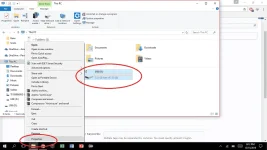
3. RIGHT CLICK the usb and press properties.
4. Go to ReadyBoost tick "Use this device" and hit "Apply". Wait for a couple of seconds until the
process is done.
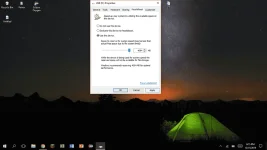
5. Now you have extra RAM.
Note: You need space for the USB to work as RAM. After using the USB just go back to properties again and tick "Do not use this device" and hit "Apply" Windows will revert your usb space back to normal.
1. Have a USB / flash drive.
2. Plug it in your computer and open My Computer / Desktop
3. RIGHT CLICK the usb and press properties.
4. Go to ReadyBoost tick "Use this device" and hit "Apply". Wait for a couple of seconds until the
process is done.
5. Now you have extra RAM.
Note: You need space for the USB to work as RAM. After using the USB just go back to properties again and tick "Do not use this device" and hit "Apply" Windows will revert your usb space back to normal.


