 PH
PHNickflextv
Forum Master
No TPM Required / No Secure Boot | MacOS Edition | English-US | PreActivated | 64bit
Windows 11 24H2 Iot Enterprise LTSC Build 26100.2454 MacOS Edition (x64) En-US Pre-Activated [FTUApps]
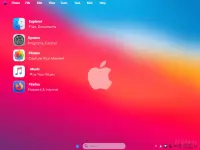
Windows 11, version 24H2, also known as the Windows 11 2024 Update, This Windows 11 OS is based on Iot Enterprise LTSC, Designed for MacOS lovers, Mac theme, cursor, etc, and provides you almost the same experience you have on Mac devices!
Removed features:
– This build is Privacy free
– BranchCache Client
– Clipboard User Service
– Cloud Notifications
– Device Lockdown (Embedded Experience)
– Fonts (some)
– Kernel Debugging
– Messaging Service
– Microsoft Edge
– Near Field Communication
– POS
– Retail Demo Content
– Wallet
– Windows Barcode Preview
– Windows Push Notifications Service
– WMP Network Sharing Service
– WinSxSBackup cleared
– WinPE
– Windows Error Reporting
– Telemetry Client
Disabled Features:
– Automatic Maintenance, Error Reporting, BitLocker, UAC,
– Notifications, Hibernation, Power Throttling, Widgets, Game mode and much more.
Build Informations:
– TPM bypassed, No secure boot
– Microsoft accound bypassed
– Power Plan set to High Perfrmance
– Many Improvements
– Tweaks applied for better performance
– Full Support at Language Packs
– Windows Image Viewer is set as default
– System is compressed to LZX format
– Windows Updates are paused, you have the choise up to 52 weeks, resume if want to update your system
– Windows Defender is disabled (enable it if you want)
– Mac theme, Mac OS cursor (apply if you want)
– Custom Images are stored at UsersAdminPictures
– Treatment, not required, use KMS just in case!
– Language: English US, further language packs can be installed later as per user need!
– Credit/OP: Unknown (Scene Dev release)
Programs Included:
– 7zip
– OldNewExplorer
– Mozilla Firefox
– Nilesoft Shell
– VisualCppRedist AIO x86 x64
– Rainmeter
– StartIsBack
– Windwahk
– Transparency is set by default
– You can find it at folder Programs files(x86)
What’s New:
– You do not have permission to view the full content of this post. Log in or register now.
System Requirements:– Processor: 2.5 gigahertz (GHz) or faster.
– RAM: 2 gigabyte (GB).
– Free space on hard disk: 40 gigabytes (GB).
– Graphics card: DirectX 9 graphics device or a newer version.
– Additional requirements to use certain features.
– To use touch you need a tablet or monitor that supports multitouch.
– To access the Windows store to download and run apps, you need an active Internet connection and a screen resolution of at least 1024 x 768 pixels
Installation Method:
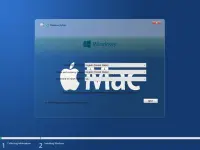
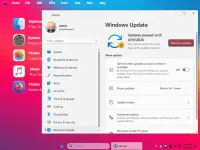
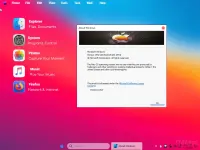
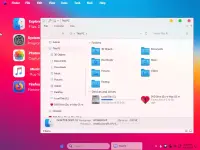
Screenshots:
DOWNLOAD LINK
PART 1 |
You do not have permission to view the full content of this post. Log in or register now.
PART 2 |
You do not have permission to view the full content of this post. Log in or register now.
PART 3 |
You do not have permission to view the full content of this post. Log in or register now.
Windows 11 24H2 Iot Enterprise LTSC Build 26100.2454 MacOS Edition (x64) En-US Pre-Activated [FTUApps]
Windows 11, version 24H2, also known as the Windows 11 2024 Update, This Windows 11 OS is based on Iot Enterprise LTSC, Designed for MacOS lovers, Mac theme, cursor, etc, and provides you almost the same experience you have on Mac devices!
Removed features:
– This build is Privacy free
– BranchCache Client
– Clipboard User Service
– Cloud Notifications
– Device Lockdown (Embedded Experience)
– Fonts (some)
– Kernel Debugging
– Messaging Service
– Microsoft Edge
– Near Field Communication
– POS
– Retail Demo Content
– Wallet
– Windows Barcode Preview
– Windows Push Notifications Service
– WMP Network Sharing Service
– WinSxSBackup cleared
– WinPE
– Windows Error Reporting
– Telemetry Client
Disabled Features:
– Automatic Maintenance, Error Reporting, BitLocker, UAC,
– Notifications, Hibernation, Power Throttling, Widgets, Game mode and much more.
Build Informations:
– TPM bypassed, No secure boot
– Microsoft accound bypassed
– Power Plan set to High Perfrmance
– Many Improvements
– Tweaks applied for better performance
– Full Support at Language Packs
– Windows Image Viewer is set as default
– System is compressed to LZX format
– Windows Updates are paused, you have the choise up to 52 weeks, resume if want to update your system
– Windows Defender is disabled (enable it if you want)
– Mac theme, Mac OS cursor (apply if you want)
– Custom Images are stored at UsersAdminPictures
– Treatment, not required, use KMS just in case!
– Language: English US, further language packs can be installed later as per user need!
– Credit/OP: Unknown (Scene Dev release)
Programs Included:
– 7zip
– OldNewExplorer
– Mozilla Firefox
– Nilesoft Shell
– VisualCppRedist AIO x86 x64
– Rainmeter
– StartIsBack
– Windwahk
– Transparency is set by default
– You can find it at folder Programs files(x86)
What’s New:
– You do not have permission to view the full content of this post. Log in or register now.
System Requirements:– Processor: 2.5 gigahertz (GHz) or faster.
– RAM: 2 gigabyte (GB).
– Free space on hard disk: 40 gigabytes (GB).
– Graphics card: DirectX 9 graphics device or a newer version.
– Additional requirements to use certain features.
– To use touch you need a tablet or monitor that supports multitouch.
– To access the Windows store to download and run apps, you need an active Internet connection and a screen resolution of at least 1024 x 768 pixels
Installation Method:
- Create bootable USB (highly recommended) with Rufus, and boot up!
- Burn to DVD-DL at slow speed.
Screenshots:
DOWNLOAD LINK
PART 1 |
You do not have permission to view the full content of this post. Log in or register now.
PART 2 |
You do not have permission to view the full content of this post. Log in or register now.
PART 3 |
You do not have permission to view the full content of this post. Log in or register now.