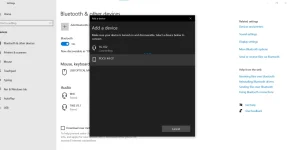
Hello PHC_-_JOSHIE! I'm sorry to hear about the Bluetooth issues you're experiencing with your Fujitsu laptop. Here are some troubleshooting steps you can try to resolve the problem:
1. Restart Bluetooth Service: Sometimes, restarting the Bluetooth service can help. You can do this by:
- Press Win + R to open the Run dialog box.
- Type services.msc and press Enter.
- Look for the Bluetooth service, right-click on it, and select Restart.
2. Check Bluetooth Settings: Ensure that Bluetooth is enabled on your laptop. You can usually do this by pressing a function key (like Fn + F3) that has the Bluetooth symbol on it.
3. Forget and Re-pair Device: If you're having trouble connecting to a specific device, try forgetting the device in your Bluetooth settings and then re-pairing it.
4. Check Power Management Settings: Sometimes, power-saving settings can interfere with Bluetooth connections. Make sure that the Bluetooth device isn't being turned off to save power. To do this:
- Go to Device Manager (Win + X, then select Device Manager).
- Find your Bluetooth device, right-click on it, and choose Properties.
- Go to the Power Management tab and uncheck the option that allows the computer to turn off the device to save power.
5. Update Windows: Ensure your Windows operating system is up to date as well. Sometimes, Windows updates can include fixes for Bluetooth issues.
6. Reset Bluetooth: You can try resetting the Bluetooth module on your laptop. This can usually be done in the BIOS settings or through a hardware reset button on your laptop (if available).
7. Contact Support: If none of the above steps work, it might be a hardware issue with the Bluetooth module itself. In that case, contacting Fujitsu support or a computer technician may be necessary.
I hope one of these solutions helps you fix the Bluetooth connectivity issue on your laptop. Let me know if you need further assistance!
 PH
PH