 PH
PH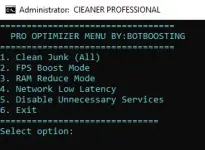
 PRO OPTIMIZER — CLEAN STEP-BY-STEP GUIDE
 Run as Administrator
- Right-click CLEANER PROFESSIONAL
- Select Run as administrator
- Wait for the PRO OPTIMIZER MENU to appear.
 Choose an Option
At Select option:, type the number of the option you want, then press ENTER.1 — Clean Junk (All)
 Removes unnecessary junk and temporary files.
2 — FPS Boost Mode
 Applies gaming-focused performance optimizations.
3 — RAM Reduce Mode
 Helps reduce unnecessary RAM usage.
4 — Network Low Latency
 Applies network settings intended to reduce latency.
5 — Disable Unnecessary Services
 Disables selected Windows services that aren't needed for the optimizer's intended use.
6 — Exit
 Closes the optimizer.
 Recommended First Run
For a clean first setup:1 → Clean Junk (All)

2 → FPS Boost Mode
3 → RAM Reduce Mode
4 → Network Low Latency
You do not have permission to view the full content of this post. Log in or register now.
PW:
@bot123
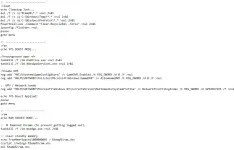
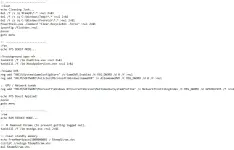
 pwede mopo yan lagay sa startup mo para every open mo pc naka stop na onedrive etc.