 PH
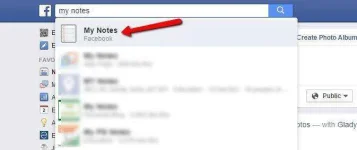
PH1. To start, login in to your Facebook account, and search for “My notes” in the search bar. Click on the first App that appear on on the results.
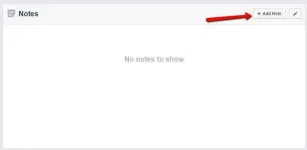
2. Facebook Notes will open, click “Add Note” button to begin.
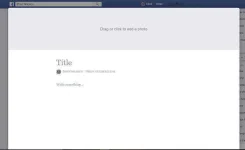
3.The Facebook notes platform will open where you can create your article. To add a header picture, hover your mouse at the top section and click to select the picture from your computer.
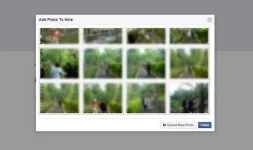
4. Choose the picture that best describe your article, once you selected the picture it will automatically upload and attached to your article header.
5. Next is to write the title and the content of your article, click on the title section and add the title of your article, the same in the content. You can also format your content, insert image, using the control that that are provided located on the left.

6.Once you’re satisfied with your article, hit the publish button located at the bottom, you can also select whether you want it to publish publicly, to your friends only or save it for later edits.
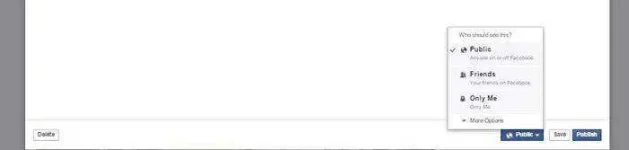
Please note that if you hit the publish button, it will also automatically share to your timeline, if you selected to publish publicly it will be visible to all.
2. Facebook Notes will open, click “Add Note” button to begin.
3.The Facebook notes platform will open where you can create your article. To add a header picture, hover your mouse at the top section and click to select the picture from your computer.
4. Choose the picture that best describe your article, once you selected the picture it will automatically upload and attached to your article header.
5. Next is to write the title and the content of your article, click on the title section and add the title of your article, the same in the content. You can also format your content, insert image, using the control that that are provided located on the left.
6.Once you’re satisfied with your article, hit the publish button located at the bottom, you can also select whether you want it to publish publicly, to your friends only or save it for later edits.
Please note that if you hit the publish button, it will also automatically share to your timeline, if you selected to publish publicly it will be visible to all.