 PH
PH note : running Android 5.1.1 Lollipop on the screenshot, it may look different if you are using different Android versions and device but the process is almost the same.
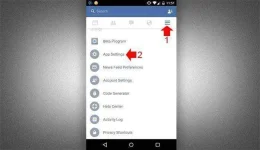
Open your Facebook app and tap on the 3 horizontal lines or more icon on the top-right corner of your phone, then scroll down to see “App Settings”, tap the App settings to open a new window where you can see the notification.
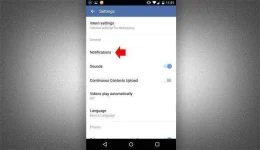
2.Tap on “Notifications” to reveal the notification settings.
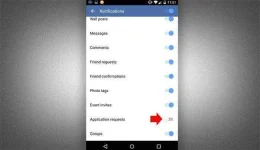
3. On the notifications settings, scroll down and turn off “Application request”
note: para to sa ANDRIOD 5.1.1 ha sa iba veresion try nyo lang settings at features lang ang iba pero pareha lang ng protocol
Open your Facebook app and tap on the 3 horizontal lines or more icon on the top-right corner of your phone, then scroll down to see “App Settings”, tap the App settings to open a new window where you can see the notification.
2.Tap on “Notifications” to reveal the notification settings.
3. On the notifications settings, scroll down and turn off “Application request”
note: para to sa ANDRIOD 5.1.1 ha sa iba veresion try nyo lang settings at features lang ang iba pero pareha lang ng protocol