 PH
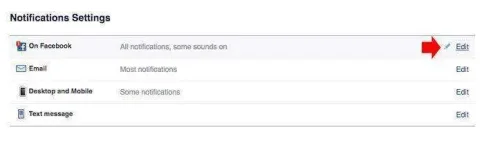
PH1.While login to your Facebook account, go to Settings > Notifications or to easily go to your Facebook notifications settings. Click the edit link inline with on Facebook notifications.
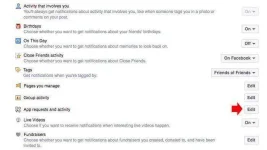
At the lower part of the page you will see App requests and activity, on the right of it click the “edit” link.
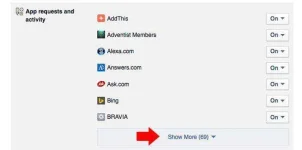
2.It will reveal the app that you use, including the app and games that annoying you everyday, if you can’t find the app that you are looking for, click “Show More” to reveal all.
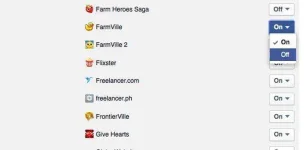
3.Now that you can see all the app, all you have to do is find the app that you want to turn off and click the on/off toggle button next to it.
At the lower part of the page you will see App requests and activity, on the right of it click the “edit” link.
2.It will reveal the app that you use, including the app and games that annoying you everyday, if you can’t find the app that you are looking for, click “Show More” to reveal all.
3.Now that you can see all the app, all you have to do is find the app that you want to turn off and click the on/off toggle button next to it.
