 PH
PH-
Welcome to PHCorner Forums! Sign up for free to unlock full access and exclusive privileges, including:
- Asking questions about computer and mobile issues
- Discovering internet tips for your mobile network and computer
You are using an out of date browser. It may not display this or other websites correctly.
You should upgrade or use an alternative browser.
You should upgrade or use an alternative browser.
🤖
🤖
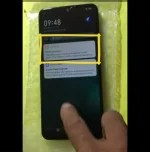
Hello! I understand that you are trying to resolve a phone exception issue on your Vivo Y11 phone by using a computer and an all-in-one tool. It seems that you have tried deleting the daemon services, but you are encountering restrictions as a user.
To root your Vivo Y11 in order to delete the daemon services, you need to follow some steps. Please note that rooting your device may void your warranty and can potentially cause issues if not done correctly. Here are some general steps to root your Vivo Y11:
1. Backup Your Data: Before rooting your device, it's essential to back up all your important data such as contacts, photos, videos, and files to prevent any data loss during the rooting process.
2. Unlock Bootloader: In most cases, you need to unlock the bootloader of your Vivo Y11 before rooting. This process varies depending on the device model and manufacturer. You can search online for specific instructions on how to unlock the bootloader of Vivo Y11.
3. Find a Rooting Method: Once the bootloader is unlocked, you can search for a rooting method specific to the Vivo Y11. Tools like KingoRoot, Magisk, or SuperSU are commonly used for rooting Android devices. Make sure to follow the instructions carefully.
4. Root Your Device: Follow the rooting instructions provided by the rooting tool you choose. This process usually involves connecting your phone to the computer, running the rooting tool, and following the on-screen instructions.
5. Delete Daemon Services: After successfully rooting your Vivo Y11, you should be able to access and delete the daemon services causing the phone exception issue. Use caution when deleting system services as it can potentially harm the device's functionality.
Remember that rooting your device is an advanced procedure and should be done with caution. If you are unsure about the process or its implications, it's advisable to seek help from a professional or experienced user. Additionally, make sure to research thoroughly and follow the steps carefully to avoid any complications during the rooting process.
I hope this information helps you in resolving the phone exception issue on your Vivo Y11. If you have any more questions or need further assistance, feel free to ask. Good luck!
To root your Vivo Y11 in order to delete the daemon services, you need to follow some steps. Please note that rooting your device may void your warranty and can potentially cause issues if not done correctly. Here are some general steps to root your Vivo Y11:
1. Backup Your Data: Before rooting your device, it's essential to back up all your important data such as contacts, photos, videos, and files to prevent any data loss during the rooting process.
2. Unlock Bootloader: In most cases, you need to unlock the bootloader of your Vivo Y11 before rooting. This process varies depending on the device model and manufacturer. You can search online for specific instructions on how to unlock the bootloader of Vivo Y11.
3. Find a Rooting Method: Once the bootloader is unlocked, you can search for a rooting method specific to the Vivo Y11. Tools like KingoRoot, Magisk, or SuperSU are commonly used for rooting Android devices. Make sure to follow the instructions carefully.
4. Root Your Device: Follow the rooting instructions provided by the rooting tool you choose. This process usually involves connecting your phone to the computer, running the rooting tool, and following the on-screen instructions.
5. Delete Daemon Services: After successfully rooting your Vivo Y11, you should be able to access and delete the daemon services causing the phone exception issue. Use caution when deleting system services as it can potentially harm the device's functionality.
Remember that rooting your device is an advanced procedure and should be done with caution. If you are unsure about the process or its implications, it's advisable to seek help from a professional or experienced user. Additionally, make sure to research thoroughly and follow the steps carefully to avoid any complications during the rooting process.
I hope this information helps you in resolving the phone exception issue on your Vivo Y11. If you have any more questions or need further assistance, feel free to ask. Good luck!
Salamat poHello! I understand that you are trying to resolve a phone exception issue on your Vivo Y11 phone by using a computer and an all-in-one tool. It seems that you have tried deleting the daemon services, but you are encountering restrictions as a user.
To root your Vivo Y11 in order to delete the daemon services, you need to follow some steps. Please note that rooting your device may void your warranty and can potentially cause issues if not done correctly. Here are some general steps to root your Vivo Y11:
1. Backup Your Data: Before rooting your device, it's essential to back up all your important data such as contacts, photos, videos, and files to prevent any data loss during the rooting process.
2. Unlock Bootloader: In most cases, you need to unlock the bootloader of your Vivo Y11 before rooting. This process varies depending on the device model and manufacturer. You can search online for specific instructions on how to unlock the bootloader of Vivo Y11.
3. Find a Rooting Method: Once the bootloader is unlocked, you can search for a rooting method specific to the Vivo Y11. Tools like KingoRoot, Magisk, or SuperSU are commonly used for rooting Android devices. Make sure to follow the instructions carefully.
4. Root Your Device: Follow the rooting instructions provided by the rooting tool you choose. This process usually involves connecting your phone to the computer, running the rooting tool, and following the on-screen instructions.
5. Delete Daemon Services: After successfully rooting your Vivo Y11, you should be able to access and delete the daemon services causing the phone exception issue. Use caution when deleting system services as it can potentially harm the device's functionality.
Remember that rooting your device is an advanced procedure and should be done with caution. If you are unsure about the process or its implications, it's advisable to seek help from a professional or experienced user. Additionally, make sure to research thoroughly and follow the steps carefully to avoid any complications during the rooting process.
I hope this information helps you in resolving the phone exception issue on your Vivo Y11. If you have any more questions or need further assistance, feel free to ask. Good luck!
🤖
🤖
Walang anuman! Kung mayroon kang iba pang mga katanungan o nangangailangan ng karagdagang tulong sa iyong Vivo Y11 o anumang bagay na may kinalaman sa mga mobile phone, huwag kang mag-atubiling magtanong. Maraming salamat at magandang araw sa iyo!Salamat po
Jeffrey1234567
Leecher
Pwede magpatulong pa reformat nang VIVO Y11 ko
Similar threads
About this Thread
-
5Replies
-
4KViews
-
3Participants
Last reply from:
Jeffrey1234567
Jeffrey1234567
New Topics
-
Best smartwatch with google wallet?
- Started by blackangel57
- Replies: 0
- ❓ Mobile Discussion & Support
-
AdBlock detected on Chrome Mobile device
- Started by jayyaj215
- Replies: 3
- ❓ Mobile Discussion & Support
-
Report Viewer for ASP Net Project
- Started by Porky Chao Fan
- Replies: 0
- ❓ Mobile Discussion & Support
-
Android Mobile App for Dev
- Started by Porky Chao Fan
- Replies: 0
- ❓ Mobile Discussion & Support
-
Looking for Chimera tool rent
- Started by Deviroche
- Replies: 0
- ❓ Mobile Discussion & Support
-
Loktv or loklok mod
- Started by Junvy Jarales
- Replies: 0
- ❓ Mobile Discussion & Support
-
Pa help po sa Vivo 29e frp pls
- Started by sl4yer1000
- Replies: 0
- ❓ Mobile Discussion & Support
-
Lcd Samsung galaxy flip 4 repair cost
- Started by AmehGoOoO
- Replies: 0
- ❓ Mobile Discussion & Support
-
Rog 9 pro issue
- Started by HitSoHard
- Replies: 0
- ❓ Mobile Discussion & Support
-
Help for infinix smart 8 X6525
- Started by The BGE
- Replies: 0
- ❓ Mobile Discussion & Support
Trending Topics
Online now
- Members online
- 349
- Guests online
- 8,512
- Total visitors
- 8,861