 PH
PHGood news sa mga nakasabit sa Cαиνα For Education ko at sa lahat ng may Cαиνα For Education accounts... may access na tayo sa Affinity apps. Simply login using your Cαиνα For Education account.
Back in March, Cαиνα made a pledge to make Affinity apps free of charge for registered nonprofits, teachers, and schools.
To get started, follow these easy steps:
Step 1: Sign in to your Cαиνα For Education account
Step 2: Download Affinity app(s) to your device(s): You can choose which app(s) to download and on which device(s). Supported operating systems include macOS, Windows, or iPadOS.
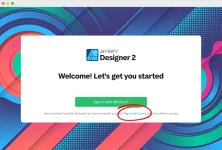
Step 3: Open Affinity and sign in with your Cαиνα account: Select 'Sign in with Cαиνα' and follow the prompts to access Affinity. You must sign in using your same credentials as your verified Cαиνα for Education account.
Back in March, Cαиνα made a pledge to make Affinity apps free of charge for registered nonprofits, teachers, and schools.
- Affinity Photo 2: Edit and retouch photos on their own or as part of multilayered photo compositions and photo art.
- Affinity Designer 2: Create illustrations, logos, graphics, concept art and other vector designs.
- Affinity Publisher 2: Layout images, graphics and text to produce digital and print publications.
To get started, follow these easy steps:
Step 1: Sign in to your Cαиνα For Education account
Step 2: Download Affinity app(s) to your device(s): You can choose which app(s) to download and on which device(s). Supported operating systems include macOS, Windows, or iPadOS.
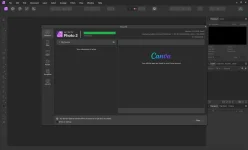
Step 3: Open Affinity and sign in with your Cαиνα account: Select 'Sign in with Cαиνα' and follow the prompts to access Affinity. You must sign in using your same credentials as your verified Cαиνα for Education account.

