 PH
PH30DECEMBER1990
Elite

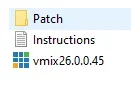
01 install run as administrator "vmix26.0.0.45.exe" and don't run / uncheck Launch Vmix and click finish
02 copy all files from inside "ρá†ch" folder to C:\Program Files (x86)\vMix and click replace all files
03 blocking host:
*go to C:\Windows\System32\drivers\etc
*copy host file to other folder
*edit in notepad copied host file and insert this and save:
127.0.0.1 2640.vmix.com
127.0.0.1 2645.vmix.com
127.0.0.1 2637.vmix.com
127.0.0.1 2266.vmix.com
127.0.0.1 2534.vmix.com
127.0.0.1 You do not have permission to view the full content of this post. Log in or register now.
127.0.0.1 vmix.com
127.0.0.1 www .vmix.com.au
127.0.0.1 vmix.com.au
127.0.0.1 help.vmix.com
127.0.0.1 vmix.hypervps.com.au
127.0.0.1 vmixcloud.com
127.0.0.1 You do not have permission to view the full content of this post. Log in or register now.
*copy edited host file and replace the original host file in C:\Windows\System32\drivers\etc
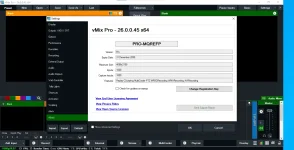
04 Ready to use Vmix Pro 26.0.0.45 and Enjoy!
* dont forget to uncheck the "check for update on startup" on Settings / About
Mediafire Link.......
You do not have permission to view the full content of this post. Log in or register now.