 PH
PHMiss Me?? Follow and react may matindi ako ilalapag next post all in one  Tool
Tool
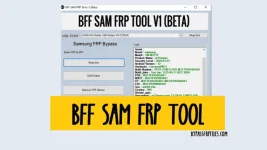
BFF Sam Tool is a small Windows utility designed to Bypass FRP by Enabling ADB, and Scanning QR Code, on Samsung Android devices. Suppose, you perform factory reset and your phone is stuck at FRP verification screen. In that case, you can Download BFF Sam FRP Tool V1.
In this tutorial, We have shared the step-by-step processes alongside the links to download latest version for Windows 11, 10, 8, 7, and XP (32 & 64-bit). However, The tool is still in the beta stage, we have tested it on multiple Samsung Android devices.
Download



Warning: I am not responsible for any damage on your device please try this at your own risk.
USB Driver: Before using the tool to unlock the FRP lock on your Samsung phone. First, you have to install proper USB driver on your Windows computer Sam Usb Driver & Minimal & Fastboot
page to download the driver.
Sam USB Driver
Download
Minimal ADB&FASTBOOT driver
Download
ToolBFF Sam Tool is a small Windows utility designed to Bypass FRP by Enabling ADB, and Scanning QR Code, on Samsung Android devices. Suppose, you perform factory reset and your phone is stuck at FRP verification screen. In that case, you can Download BFF Sam FRP Tool V1.
In this tutorial, We have shared the step-by-step processes alongside the links to download latest version for Windows 11, 10, 8, 7, and XP (32 & 64-bit). However, The tool is still in the beta stage, we have tested it on multiple Samsung Android devices.
File Name: | BFF_Tool.rar |
| Size: | 6MB |
| Type: | exe |
| Compatible OS | Windows 7, 8, 8.1, Windows 10, Windows 11 |
| Credit: | Bypassfrpfiles |
| Password |
Download
|
Download
How to use:
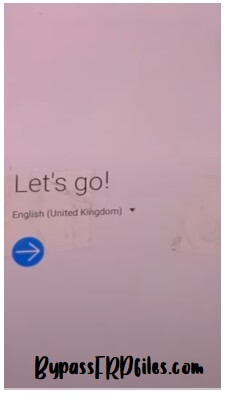
- Download & extract BFF SAM V1 tool to your Computer.
- Then Run the BypassfrpfilesTool.exe as Administrator.
- Now the tool will opened.
- Connect the Samsung phone to Windows.
- Click on Read Info.
- Click on erase FRP with QR.
- Scan the QR Code.
- Tap on 3-5 times on the screen.
- Next, Scan the QR code.
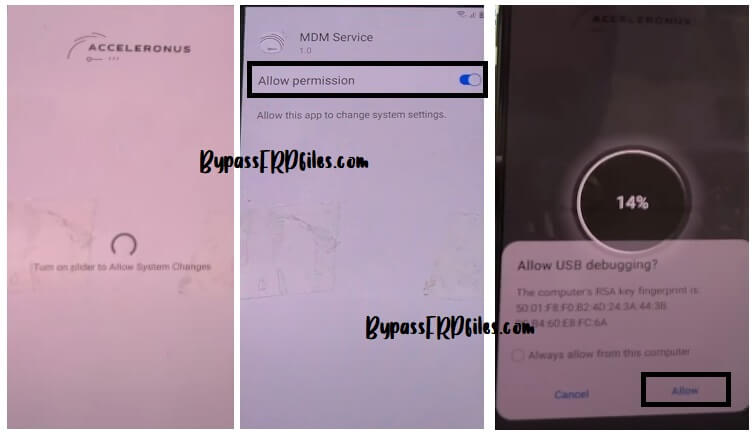
- After that, connect your phone to a wifi network.
- Wait for a few seconds to set up.
- Next, tap on allow USB debugging to enable ADB.
- Then, go back to the tool & Click Direct Remove FRP.
- Click OK’ to proceed.
- Now the tool will remove the FRP lock & Restart the phone.
- Disconnect & Setup the phone.
- That’s it.
What’s New:
- Latest version Update to V1.0.
- Added Reset Frp QR Code.
- Added Samsung devices to Remove FRP.
- Improvements.
- Bug Fixes.
Read Me:
[*] Caution: This method is for device owner and only for educational purposes, meaning trying this method on a stolen device is a serious crime, it may lead you to the jail.Warning: I am not responsible for any damage on your device please try this at your own risk.
USB Driver: Before using the tool to unlock the FRP lock on your Samsung phone. First, you have to install proper USB driver on your Windows computer Sam Usb Driver & Minimal & Fastboot
page to download the driver.
Sam USB Driver
Download
Minimal ADB&FASTBOOT driver
Download
