 PH
PHMamamooooo
Forum Contributor
Download Link:
NetLimiter in an ultimate internet/network control, security and statistical tool for Windows. Use it to manage bandwidth of individual applications, monitor data coming to and out of your machine in real-time, block unwanted intruders, analyze network problems and much more.Limit
Set maximum transfer speed of your machine, applications running on it, particular user or a single connection. Set maximum bandwidth for any entity or adjust their bandwidth priority.
Internet traffic monitoring
Monitor in real-time how much data is transferred from/to any application from/to internet or other networks. Real-time traffic chart is available.
Connection Blocker
Create rules to block seleted application from connecting to internet. Interactive Ask prompt window allows creating rules in real-time. Many conditions can be specified to fine-tune rules.
Long-term stats
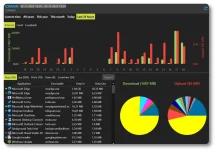
Long-term locally stored detailed traffic statistics. You can view and analyze network traffic in retrospect.
Filters
Create customs filters based on application paths, domain names, IP address ranges, users and much more. For filters, you can create Blocker rules, limits etc.
Quotas
Lets you set data transfer quotas for selected application/filter. If the quota is reached - limit, blocker rule or other rules could be enabled.