 PH
PHEcneralC1973
Forum Guru
This tutorial might be of help for those beginners who doesn't know yet how to use there ping tools .If somebody might already have a thread on this then this is a repost.
How to set up ping tools on android operating system
Requirements:
Android device ( rooted and non-rooted pwede)
Ping Tools 2.7.8 [crack] apk
Procedures:
1. Download and install ping tools apk and launch the application then press home.
2. Launch any VPN until successfully connected then minimized the application.
3. Go back to ping tools then on main page press the three bars on the upper portion of your screen then click ping
4. On ping page click the three dots on the upper portion of your device then choose settings
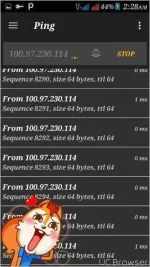
5. On settings change the ping counts to infinity ( these will let the ping tools in continuous ping) then save and go back then type google.com then press home.
Note:
Do not disconnect
Just let the ping tools to run in background
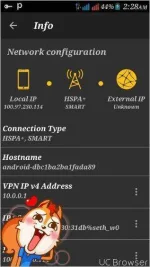
6. You can also ping your VPN IP v4 address if you can't ping google.com just go to Info - Network Configuration - then select Local IP then press enter
7. On it's folder choose VPN IP v4 / IP v6 address then press the three dots on the side then press ping then exit.
8. There are also different use of ping tools just explore.
9.Done!!!
Download link:
https:// You do not have permission to view the full content of this post. Log in or register now.
creative criticism and thanks are accepted but likes is highly aappreciated


How to set up ping tools on android operating system
Requirements:
Android device ( rooted and non-rooted pwede)
Ping Tools 2.7.8 [crack] apk
Procedures:
1. Download and install ping tools apk and launch the application then press home.
2. Launch any VPN until successfully connected then minimized the application.
3. Go back to ping tools then on main page press the three bars on the upper portion of your screen then click ping
4. On ping page click the three dots on the upper portion of your device then choose settings
5. On settings change the ping counts to infinity ( these will let the ping tools in continuous ping) then save and go back then type google.com then press home.
Note:
Do not disconnect
Just let the ping tools to run in background
6. You can also ping your VPN IP v4 address if you can't ping google.com just go to Info - Network Configuration - then select Local IP then press enter
7. On it's folder choose VPN IP v4 / IP v6 address then press the three dots on the side then press ping then exit.
8. There are also different use of ping tools just explore.
9.Done!!!
Download link:
https:// You do not have permission to view the full content of this post. Log in or register now.
creative criticism and thanks are accepted but likes is highly aappreciated
