 PH
PH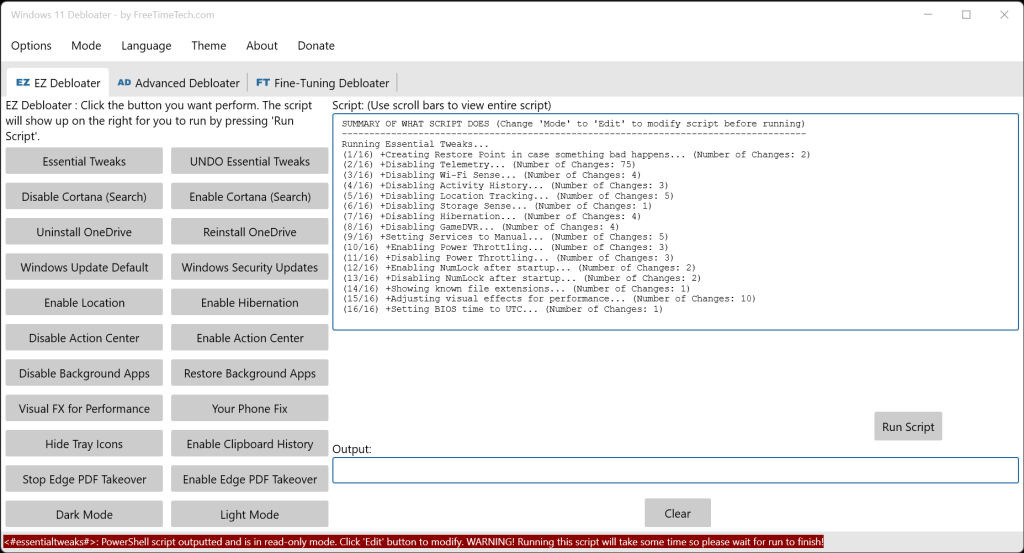
Windows 11 Debloater is another customization option that allows advanced users to disable/enable various Windows 11 features by generating and running a PowerShell script.
Windows 11 Debloater is You do not have permission to view the full content of this post. Log in or register now., making it an excellent asset for those that work on multiple machines. The UI is tab-based and groups points of interest for quick access.
You can use EZ Debloater (first tab on UI) to easily debloat, select what you want from the many options, or choose a preset first from ‘Debloat Preset’ to create the ultimate PowerShell script to debloat Microsoft Windows 11. Create your radio buttons preset. You can run the script directly from the program. This option also includes disabling Cortana background apps and disabling Microsoft Edge as the default PDF app.
It is always advised when performing actions like those included in Windows 11 Debloater; you should You do not have permission to view the full content of this post. Log in or register now. and backup your data just in case you run into an issue.
Download :
You do not have permission to view the full content of this post. Log in or register now.