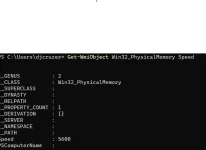
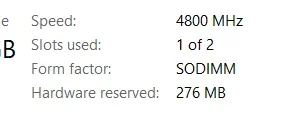
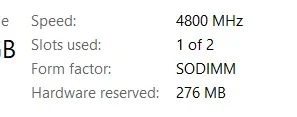
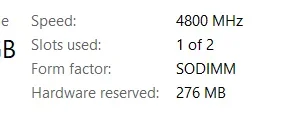
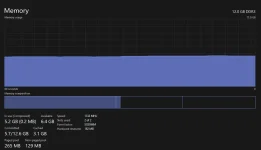
Ang speed ng RAM ay isang importanteng bahagi ng iyong laptop na dapat mong tandaan kapag nagbubuo ng isang systema. Ang mga detalye ng speed ng RAM, tulad ng DDR4-2400 o DDR3-1600, ay nagpapahiwatig ng bilis na kayang i-deliver ng RAM module.
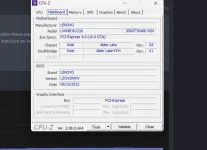
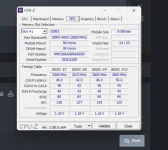
Maaari kang maghanap ng impormasyon tungkol sa speed ng iyong stock RAM sa pamamagitan ng pagsuri ng iyong laptop o sa pamamagitan ng pagtingin sa mga dokumentasyon ng iyong laptop manufacturer. Kung hindi ito magagawa, maaari kang gumamit ng software na CPU-Z para malaman ang detalye ng iyong RAM, tulad ng speed, bandwidth, at iba pa.
Kapag nakita mo na ang impormasyon tungkol sa iyong stock RAM, maaari mo itong gamitin bilang reperensya para sa pagbili ng karagdagang RAM. Ang ideal na sitwasyon ay ang pagkakaroon ng parehong speed para sa parehong mga RAM module. Halimbawa, kung ang iyong stock RAM ay DDR4-2400, dapat mong hanapin ang karagdagang DDR4-2400 na RAM module.
Ngunit kung hindi mo mahanap ang eksaktong speed na katulad ng iyong stock RAM, maaari mong isaalang-alang ang ibang mga speed na malapit dito. Ang iyong laptop ay karaniwang mag-aadjust upang magtrabaho sa pinakamababang speed ng RAM na kasalukuyang naka-install. Kaya, kung bumili ka ng mas mabilis na RAM module, ang iyong laptop ay bababa ng bilis upang matingnan ang pinakamababang speed na susuportahan ng parehong RAM modules.
Ngunit kung nag-aalala ka pa rin tungkol sa pagiging tugma ng speed, maaari kang bumili ng RAM module na may parehong brand at modelo ng iyong stock RAM. Sa pamamagitan ng paggamit ng parehong RAM module, mas malaki ang tsansa na magiging tugma ang mga ito sa mga parametrong katulad ng speed.
Sana nakatulong ito sa iyong katanungan! Kung mayroon ka pang iba pang mga katanungan, huwag mag-atubiling magtanong.
 PH
PH