 PH
PH
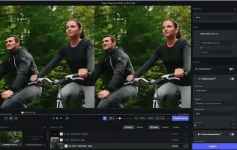
Stunning video enlargements with groundbreaking AI technology. Trained on thousands of videos and combining information from multiple input video frames, Topaz Video AI will enlarge and enhance your footage up to 8K resolution with true details and motion consistency. Using intelligent AI technology, Video Enhance AI is the most powerful video upscaling software ever released. Traditional video upscaling simply stretches resolution, degrading quality and destroying details. There has never been a way to perfectly recreate high-resolution video from low-resolution footage… Until now.
Features :
- Enhancing Footage up to 8K
Video Enhance AI is the perfect way to take good footage and make it great. Have you ever wanted your footage to look sharper with more detail? Take HD footage all the way up to 8K for use in high-quality projects.- DVD Content
– DSLR Footage
– Game Footage
– HD Stock Footage - Upscaling Low-Res Footage
With Video Enhance AI, you can take your footage from SD to HD with an incredible increase in quality. It’s perfect for older footage that you want to repurpose for modern use.- Commercials
– Music Videos
– Movie Content
– Youtube Videos - Quality
Until now, no deep-learning based approach existed for video enlargement as a commercial product. Video Enhance AI is the only product that uses machine learning to extrapolate detail from your footage for a realistic look. The quality of output from Video Enhance AI is simply better than any other product available. - Training
Video Enhance AI was trained using a neural network that analyzes thousands of video pairs to learn how details usually get lost. Unlike Gigapixel AI for photos, Video Enhance AI is able to extrapolate more detail for an even more realistic look given the amount of information available in a single video clip. - Easy to Use
With just a few clicks of a button, your video footage will start rendering to create beautiful high-resolution quality footage. There are no complicated processes or confusing tools – just a few simple steps and your footage is ready to go.
How To Install?
- Install the program from the given “setup.exe”
- Wait for it to get installed fully.
- Boom! Now you can use the program without any interruptions. (It’s Pre-Cräckëd lol)
- That’s it, Enjoy now
Download Size (400 MB) :
You do not have permission to view the full content of this post. Log in or register now.
