 PH
PHjuswagagard
Eternal Poster
You do not have permission to view the full content of this post. Log in or register now.
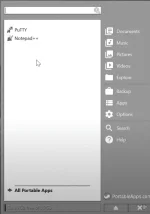
Make your FLASH DRIVE a powerful portable PC apps opener.
Pwede mo na gamitin mga apps mo sa ibang device at no need na mag download ulit.
Make a separate working environment using this
REQUIREMENTS
1.

2. USB FLASH DRIVE
3. Any Windows Operated Device ( PC, Laptop etc.)
How to use?
1. Prepare your USB Flash Drive ( any will do the bigger storage the more apps you can carry on that drive)
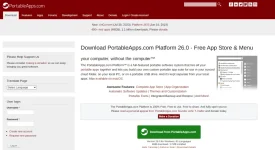
2. Download the software
3. Format USB
4. Installation ( double click installer > click new install > portable install > select ang USB na gagamitin > click finish )
5. Open USB Drive
6. Click Start.exe
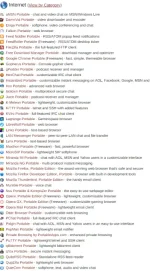
7. Mark Check and choose all wanted applications
8. Just click next and wait for it to be installed
After nun okay na po yun, i saksak mo lang sa khit anung device meron ka > open it using start.exe na nasa USB mo goods na yun.
for step by step video installation be resourceful nalang po tayo. marami dyan sa internet. Salamat.
