 PH
PH
Introduction to Stardock Start11: Enhance Your Windows Experience
In the realm of personal computing, a seamless and user-friendly interface is a cornerstone for efficient and enjoyable interaction. Enter Stardock Start11, an innovative software solution designed to enhance the Windows experience by providing users with advanced customization and productivity features. By reimagining the traditional Start Menu, Start11 offers a comprehensive suite of tools that empower users to tailor their operating system to match their unique preferences and needs.
Useful Features and Information
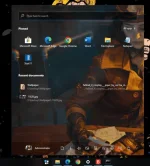
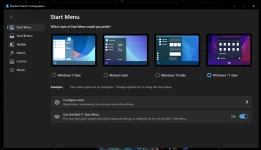
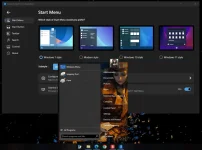
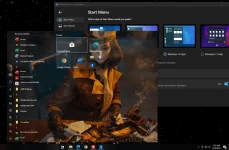
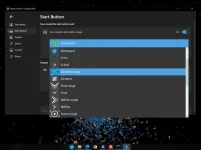
1. Customizable Start Menu: Stardock Start11 brings unprecedented flexibility to the Start Menu. Users can effortlessly adjust the layout, color scheme, and appearance to suit their personal style. This level of customization extends beyond the aesthetic, allowing users to organize and prioritize frequently used apps for quicker access.
2. Enhanced Search: The integrated search functionality in Start11 is designed to streamline your workflow. It offers quick and comprehensive search results, ensuring that you can locate files, applications, and settings without navigating through convoluted menus.
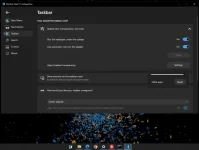
3. Taskbar Integration: Start11 seamlessly integrates with the Windows taskbar, enhancing the overall user experience. It provides an efficient way to manage and launch applications, and even introduces taskbar skins for those who desire a more visually appealing desktop environment.
4. Folder and Document Navigation: Navigating through your folders and documents becomes more intuitive with Start11. The software provides convenient access to your recently used files and frequently accessed directories, thereby boosting productivity and minimizing time spent on file management.
5. Live Tiles and Widgets: For users who appreciate dynamic visuals, Start11 introduces customizable live tiles and widgets, transforming your Start Menu into a hub of real-time information. Stay updated on weather forecasts, news, and other essential data without leaving the Start Menu interface.
6. User Profiles: Start11 allows multiple users to create their own personalized profiles on a shared computer. Each user can configure their Start Menu layout and preferences independently, ensuring a tailored experience for everyone.
7. Classic Mode: For those who cherish the nostalgia of earlier Windows versions, Start11 offers a Classic Mode that replicates the familiar Start Menu design of older Windows iterations. This option appeals to users who prefer a more traditional interface.
8. Technical Support: Stardock, the company behind Start11, is renowned for its commitment to customer satisfaction. The software comes with dedicated technical support, ensuring that users receive assistance and guidance whenever required.
Stardock Start11 is a game-changing utility that redefines the way users interact with their Windows operating system. Its customizable Start Menu, enhanced search capabilities, taskbar integration, and other features contribute to a more personalized and efficient computing experience. Whether you're seeking improved productivity or a visually pleasing desktop environment, Start11 offers a suite of tools to cater to your preferences.
Screenshots
Password: ikamusume
MediaFire
Download
Gdrive
Download
----------DOWNLOAD AT YOUR OWN RISK!----------
----------SCAN BEFORE INSTALLING!----------
