PH
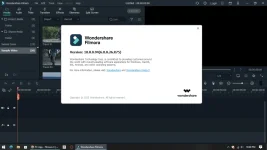
PHwhat is Filmora X?
-Filmora X is an award-winning video editor platform that lets you create visually stunning videos without the need to do complex edits. This video editor software is designed to be lightweight so that even those with the most basic PC configurations can create videos with ease
You do not have permission to view the full content of this post. Log in or register now.
how to install?
-
1. Right Click lang po sa .RAR file or Compressed File ng Filmora after ma-download and click po
sa Extract Here.
2. Click po yung File Folder na nagawa after ma-extract yung file and Click yung file sa loob ng
Setup na folder para ma-install yung Filmora X.
3. After ma-install po, di pa po yan Activated so Click naman po yung Cracks na folder.
4. Copy and paste yung lahat ng files na nasa loob ng Cracks sa directory ng Filmora X which is
usually nasa Windows C:/Program Files/Wondershare/Filmora X and paste po yung files sa
loob ng folder na ito. Replace
5. Pwede rin pong i-right click niyo yung Icon ng Filmora X sa desktop after ma-install
and Open File Location then doon niyo po i-paste yung laman nung nasa Cracks na Folder
6. That's it! Ready-to-use na yung Filmora X.
-Filmora X is an award-winning video editor platform that lets you create visually stunning videos without the need to do complex edits. This video editor software is designed to be lightweight so that even those with the most basic PC configurations can create videos with ease
You do not have permission to view the full content of this post. Log in or register now.
how to install?
-
1. Right Click lang po sa .RAR file or Compressed File ng Filmora after ma-download and click po
sa Extract Here.
2. Click po yung File Folder na nagawa after ma-extract yung file and Click yung file sa loob ng
Setup na folder para ma-install yung Filmora X.
3. After ma-install po, di pa po yan Activated so Click naman po yung Cracks na folder.
4. Copy and paste yung lahat ng files na nasa loob ng Cracks sa directory ng Filmora X which is
usually nasa Windows C:/Program Files/Wondershare/Filmora X and paste po yung files sa
loob ng folder na ito. Replace
5. Pwede rin pong i-right click niyo yung Icon ng Filmora X sa desktop after ma-install
and Open File Location then doon niyo po i-paste yung laman nung nasa Cracks na Folder
6. That's it! Ready-to-use na yung Filmora X.

 keep sharing idol