 PH
PHDriver Talent Pro v8.1.11.46
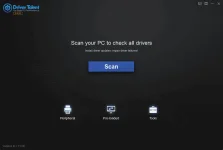
Driver Talent is able to automatically download and install the latest updates for all of the drivers for all of your components. The program includes an extensive database with thousands of drivers for all kinds of devices, including printers, monitors, keyboards, sound cards, video cards and more. With Driver Talent there is no need to worry about losing drivers again. Driver Talent backup and reinstall features can save you hours of searching for and installing individual device drivers.
Key Features of Driver Talent Pro
Scan to find all outdated, missing, corrupted, faulty & incompatible drivers.
Download and install best-matched drivers for computer hardware and all connected peripheral devices.
Update to the latest drivers (several driver versions are available).
One-click repair & fix all driver problems.
Pre-download and save drivers for your own PC, download and transfer drivers for another PC.
One-stop manage: backup, restore, uninstall, reinstall, and more.
Support driver downloads and updates for all hardware devices and manufacturers.
Keep your computer and devices in top condition.
Instructions
1. Install software using given installer (in Setup folder)
2. Close program if running (Even from system tray)
3. Extract "Craack.zip" file and Copy its content to program's installation folder (confirm replacing, if asked)
4. Apply regfile.reg
5. That's it, Enjoy!
LINKS (UPDATED JUNE 03 2024)
You do not have permission to view the full content of this post. Log in or register now. | You do not have permission to view the full content of this post. Log in or register now.
Driver Talent is able to automatically download and install the latest updates for all of the drivers for all of your components. The program includes an extensive database with thousands of drivers for all kinds of devices, including printers, monitors, keyboards, sound cards, video cards and more. With Driver Talent there is no need to worry about losing drivers again. Driver Talent backup and reinstall features can save you hours of searching for and installing individual device drivers.
Key Features of Driver Talent Pro
Scan to find all outdated, missing, corrupted, faulty & incompatible drivers.
Download and install best-matched drivers for computer hardware and all connected peripheral devices.
Update to the latest drivers (several driver versions are available).
One-click repair & fix all driver problems.
Pre-download and save drivers for your own PC, download and transfer drivers for another PC.
One-stop manage: backup, restore, uninstall, reinstall, and more.
Support driver downloads and updates for all hardware devices and manufacturers.
Keep your computer and devices in top condition.
Instructions
1. Install software using given installer (in Setup folder)
2. Close program if running (Even from system tray)
3. Extract "Craack.zip" file and Copy its content to program's installation folder (confirm replacing, if asked)
4. Apply regfile.reg
5. That's it, Enjoy!
LINKS (UPDATED JUNE 03 2024)
You do not have permission to view the full content of this post. Log in or register now. | You do not have permission to view the full content of this post. Log in or register now.