 PH
PHjuswagagard
Eternal Poster
Paano gumawa ng Cloud Kali Linux VM ng walang binabayaran gamit ang LINODE
STEP 1: CREATE TONIK ACCOUNT PARA SA VIRTUAL CREDIT CARD | RECOMMENDED KO TALAGA TONG TONIK HINDI MADALING MA DECLINE ITO FOR ONLINE TRANSACTIONS
NOTE: DOWNLOAD NYO NLNG SA PLAYSTORE MGA LODS, AND SEARCH NLNG FOR TUTORIALS KUNG PAANO GUMAWA NG ACCOUNT.

STEP 2: REGISTER IN LINODE AND PUT YOUR VIRTUAL CARD SA TONIK AS PAYMENT METHOD PARA MAY FREE 100$
Register sa Link para may free 100$ You do not have permission to view the full content of this post.
Log in or register now.
You do not have permission to view the full content of this post.
Log in or register now.
STEP 3: FOLLOW NYO ITONG STEP BY STEP TUTORIAL NA ITO SA PAG SET UP NG KALI LINUX
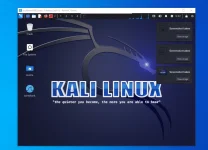
Sana naintindihan ninyo yung concept na ibig ko sabhin. Useful po ito for testing environment yung may mga mahilig sa Linux OS. Lams nyo na.
If naubos na 100$ credit. Delete lang linode account and create another account, as per experience you can still use your Tonik kahit na gamit mo na to previously
Enjoy Guys.

STEP 1: CREATE TONIK ACCOUNT PARA SA VIRTUAL CREDIT CARD | RECOMMENDED KO TALAGA TONG TONIK HINDI MADALING MA DECLINE ITO FOR ONLINE TRANSACTIONS
NOTE: DOWNLOAD NYO NLNG SA PLAYSTORE MGA LODS, AND SEARCH NLNG FOR TUTORIALS KUNG PAANO GUMAWA NG ACCOUNT.
STEP 2: REGISTER IN LINODE AND PUT YOUR VIRTUAL CARD SA TONIK AS PAYMENT METHOD PARA MAY FREE 100$
Register sa Link para may free 100$
You do not have permission to view the full content of this post.
Log in or register now.STEP 3: FOLLOW NYO ITONG STEP BY STEP TUTORIAL NA ITO SA PAG SET UP NG KALI LINUX
Sana naintindihan ninyo yung concept na ibig ko sabhin. Useful po ito for testing environment yung may mga mahilig sa Linux OS. Lams nyo na.
If naubos na 100$ credit. Delete lang linode account and create another account, as per experience you can still use your Tonik kahit na gamit mo na to previously
Enjoy Guys.