PH
PH
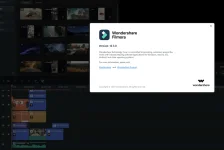
Free Download Filmora 12 without a watermark features smoother performance and efficiency. More advanced features, richer resources, and Artificial Intelligence tools let you create freely.
General Features of Wondershare Filmora 12
Instant modeNo editing skills are needed to use an instant mode to create a video. Just add the media you want to display, and Filmora will make a video for you right away.
115+ easy-to-use video templates
Filmora has up to 115 video templates, including vlog, business, intro, slideshow, travel, and more. You can find whatever you want and produce a video in a few minutes.

Automatically recognize video highlights, save time
You no longer need to spend more than 3 hours working on the video timeline to create a video. Filmora’s AI algorithm can automatically find the highlighted part of your media and then create a video.

Provide sample video to preview, spark creativity
When you have no idea how to organize your media to make a video, Filmora Instant Mode will help you. You can use Filmora’s instant mode to spark your idea of making a video.

Preset Templates
Get started easily with the built-in Filmora video template to make a creative video. You can also save your video templates in the cloud and share them with other creators!
1000+ templates to create a video effortlessly
Filmora provides 1000+ templates for you to create a video for all occasions: travel, gaming, festival, wedding, education, family, social media, hot trending, e-commerce, advertisement, etc. Your personal or business demands can be easily met.

Replace the videos and images yourself
You can also insert or change the clips in the video and audio track according to your needs, making your video more unique and brilliant. After that, you can save them to the template the next time you use them.

Create and share your own preset templates with others with ease
Do you want to share your preset templates with others? It’s easy with Filmora! You can share your custom preset templates with your colleagues or friends to help them quickly create a video like yours.

Auto Rhythm Sync
Matching footage to music won’t be difficult anymore with Filmora Auto Montage Maker, which can automatically edit the footage to be smooth to the music of your choice. (This feature is for Windows only)
The world’s first manufacturer of automatic assemblies
Filmora Auto Montage Maker can automatically match footage to music clips, and analyze beat points to add video effects or change the view. Plus, it can quickly identify bad parts of your footage, like too dark, overexposure, or flicker, and automatically remove them so you can quickly get music that matches well with the video.

Speed ramps
Adjust the speed of your video with better control of your keyframes to create unique cinematic effects.
6 Popular Preset Speed Ramp Templates
Filmora offers six preset Speed Ramp effects, including Montage, Hero moment, Bullet Time, Jumper, and Flash, which can help you create a professional speed ramp effect easily.

Supports custom Speed Ramp templates
Want to create a unique Speed Ramps effect for yours? Filmora also gives you the option to customize your Speed Ramps effect, and you can save it for next time use.

Split Screen
It’s all about your creativity! Make a photo and video collage, perfect intro, and outro, reaction video, and comparison in just a few clicks! Multiply your fun with multiple screens to tell your story in a unique way.
200+ split screen templates
Create split screens with 200+ free templates to produce better videos. Create picture-in-picture, interaction, and comparison effects for different video categories like travel, memories, social media, and marketing!

Just drag and drop
No more fuss. No more high learning costs. Choose your ideal template, and import your video and images. Just drag and drop them on the timeline. Boom! You are good to go. Making a video collage has never been so easy!

Fully customize your video with advanced settings
Are you not satisfied with the result? Try the split screen effect you want and try it on your first video collage. Try adjusting your video and photo with our thousands of effects and stickers. You can also double-click on the split screen and change the settings to customize your video collage the way you like it.

Keyframes
Filmora 12 Keyframes allows you to explore more possibilities in motion design. Create fantastic visual animations for any object in your video.
Batch editing of keyframes
Select multiple keyframes and modify them at the same time. You can adjust the animation after setting a few keyframes without destroying the entire animation.

Split screen clip animation
Add keyframed animations within a split screen. By displaying multiple clips at once, you can add dynamism to individual video clips with keyframes and customize how they change over time.

Change the color in the timeline
Create changes in color gradation. Keyframes allow you to adjust color tone over time to embody emotional changes in characters or emphasize the atmosphere of a setting.

Customize text animation
Add stunning effects to a group of text and titles or to each object in it with keyframes. Animate the text in seconds and make the video more captivating which can attract more audience and make them watch your video immediately.

Save keyframes as custom presets
Save text and color keyframes to create presets. With keyframe presets, you can quickly apply the same visually appealing effects to multiple objects

Motion tracking
Follow the movement of an object in the video and set graphics and media files to magically follow the movement.
Intelligent tracking of moving objects
Set the objects you want to track and start motion tracking. Filmora will track the moving path of the thing automatically. You can adjust the position and size of the trace box in the preview window directly without starting the trace again.

Attach texts to follow the tracked route automatically
With the AI motion tracking tool in Filmora, it’s easy to add titles and readers to track motion and move automatically. Create a callout title with a moving object in the video, add a name that follows the athlete’s moving path, and productively unleash your creativity.

Add tile to moving objects with one click
Do you want to blur moving faces or license plates in the video without adding frame-by-frame mosaic effects? Try motion tracking with a mosaic effect on Filmora. Filmora has built-in mosaic effects in the Motion Tracker tool, which allows you to blur and redact faces or any part of each frame throughout the video.

Infuse your storytelling with magic
Transform common emojis, images, videos, and symbols into visual effects to tell a story with magic on Filmora! Use the motion tracker to add smiley faces, message bubbles, and Doctor Strange Magic Shield to real-world images, or create flying Harry Potter effects!

Screen Recorder
Filmora allows the user to record screen and webcam simultaneously, and also capture system and microphone audio. You can easily record gameplay, tutorials, youtube videos, etc., and export the videos to YouTube, Vimeo, and devices directly.
Screen recording + webcam
Videos with a narrator are always more attractive to audiences. Filmora allows you to capture a computer screen and webcams simultaneously. Whether you’re creating a product demo, gameplay tutorial, or business training video, adding your face to the video will always help to better E×ρréšš your ideas.

Customize recording area
With this screen video recording software, you can record anywhere on your computer screen, the full screen, a target window, or a custom area. Also, it is straightforward to customize the region, and you can drag the window or enter the width and height.

Audio microphone and recording system
Apart from video recording, Filmora is also a voice recorder that simultaneously captures audio from the computer system and sound from the external microphone.

Auto reframing
Automatically resize videos in the fastest way. No editing skills are required!
Reframe your videos to a different aspect ratio intelligently
Powered by AI technology, you can easily convert your horizontal videos to a 9:16 vertical aspect ratio in minutes without losing quality. At the same time, you can also adjust the frame to meet your needs.

INSTRUCTION
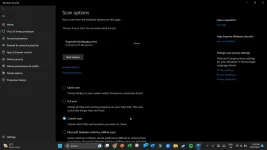
Disable your antivirus temporarily.If you face any error after installation then Run Fix_Error
System Requirements
Operating systems: Windows 11, Windows 10, Windows 8, Windows 7
Processor: Intel i5 or better multi-core processor, 2 GHz or better
6th generation or newer Intel CPU recommended for HD and 4K video
Memory: 8 GB of RAM (16 GB required for HD and 4K videos).
Graphics: Intel HD Graphics 5000 or better; NVIDIA GeForce GTX 700 or better
2 GB of RAM (4 GB required for HD and 4K videos).
Disk: At least 10 GB of free hard disk space for installation
Processor: Intel i5 or better multi-core processor, 2 GHz or better
6th generation or newer Intel CPU recommended for HD and 4K video
Memory: 8 GB of RAM (16 GB required for HD and 4K videos).
Graphics: Intel HD Graphics 5000 or better; NVIDIA GeForce GTX 700 or better
2 GB of RAM (4 GB required for HD and 4K videos).
Disk: At least 10 GB of free hard disk space for installation
Software: Wondershare Filmora 12
Developer: You do not have permission to view the full content of this post. Log in or register now.
Language: Multilingual
Medicine: Pre_Activated
You do not have permission to view the full content of this post. Log in or register now.
Developer: You do not have permission to view the full content of this post. Log in or register now.
Language: Multilingual
Medicine: Pre_Activated
You do not have permission to view the full content of this post. Log in or register now.